How Does A Car Head Up Display Work: Explained Simply
A car head-up display projects key driving data onto the windshield, keeping information in your view without looking down.
Understanding how does a car head up display work helps explain why this feature feels so useful on busy roads. A HUD combines a light source, mirror system, computer, and special windshield area to create a floating image ahead of the driver. This guide explains the technology, benefits, limits, safety concerns, and practical tips for using one well.
What Is a Car Head-Up Display?
A car head-up display, or HUD, shows driving information in the driver’s forward view. It may display speed, navigation directions, traffic signs, lane guidance, warning messages, and engine data.
The image seems to float several feet in front of the vehicle. This effect lets your eyes move less between the road and the instrument cluster. The system does not place information on the road itself. It creates a virtual image that appears beyond the windshield.
A HUD can be fitted by the vehicle maker or added later as an aftermarket device. Factory systems often work with the car’s cameras, radar, navigation system, and electronic control units. Aftermarket systems may use a phone, GPS receiver, or OBD-II connection.
How Does a Car Head Up Display Work?
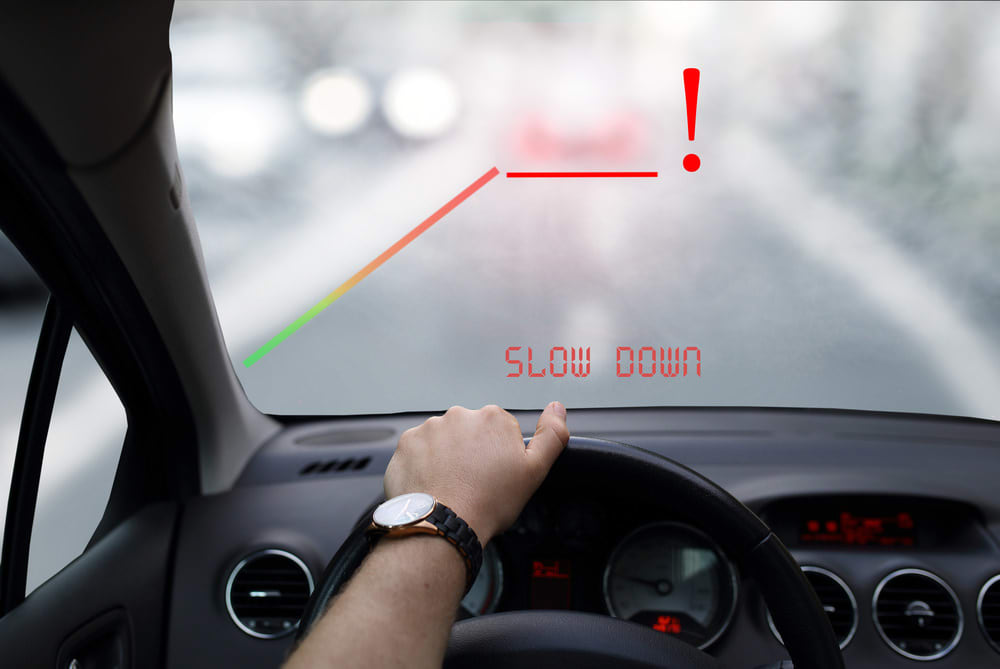
The basic answer to how does a car head up display work is simple: a projector sends light toward a reflector, and the reflector directs that light into the driver’s eyes.
The process involves several key parts:
- A computer collects data from the vehicle.
- A display unit creates the symbols and text.
- A light source sends the image toward a reflector.
- Mirrors or lenses guide the light.
- A combiner or windshield reflects the image toward the driver.
- The driver sees a virtual image in front of the car.
The image is not physically suspended in the air. It is an optical illusion created by carefully controlled light. The system focuses the image at a distance, so your eyes can view the road and display with less refocusing.
Think of the HUD as a small theater projector. The projector creates the picture, the optical system shapes it, and the windshield acts like a nearly invisible screen.
The main parts of a HUD
Most automotive HUD systems include these components:
• Light source: LEDs, lasers, or another bright source creates the display image.
• Digital image processor: This computer decides what information to show and where to place it.
• Projection unit: The unit uses lenses and mirrors to direct the image.
• Combiner: A small transparent panel may reflect the image in some systems.
• Windshield: Special windshield glass can reflect the display while remaining clear to the driver.
• Vehicle data connection: The HUD receives information from speed sensors, navigation, cameras, and driver-assistance systems.
Why the image appears to float
A HUD uses optical focus and reflection to create a virtual image. In many cars, the image appears several feet ahead of the driver. Some advanced systems can make graphics appear much farther away.
This distance matters. If the image were focused directly on the glass, your eyes would need to refocus sharply between the road and the display. A virtual image reduces this effort and makes the information feel more natural.

How a Windshield Projects the Image
A standard windshield is not ideal for a projected image. It has two glass layers and a plastic layer between them. Light can reflect from more than one surface, which may create a double image.
Vehicles with a factory HUD often use windshield glass designed for projection. The angle, coating, and laminate are tuned to reflect the display toward the driver. The glass may look normal, but it is part of the optical system.
Some vehicles use a separate transparent combiner. This is a small panel that rises from the dashboard when the HUD is active. It can provide a sharp image without requiring special windshield glass.
Why windshield replacement matters
A replacement windshield must match the vehicle’s HUD design. Installing ordinary glass can cause:
• A dim image
• Double vision or ghosting
• Incorrect image height
• Poor focus
• Reflections at night
If your vehicle has a factory head-up display, tell the glass installer before work begins. The correct windshield may cost more, but it protects the display’s clarity and alignment.
What Information Does a Car HUD Show?
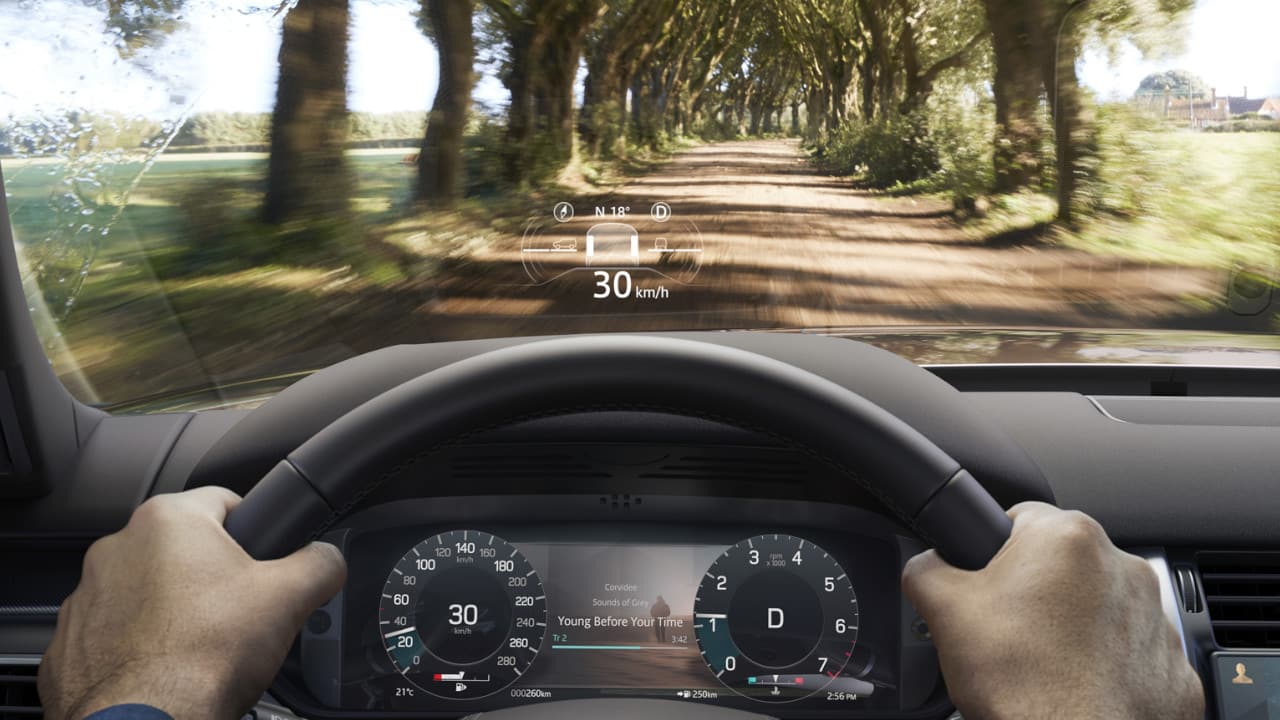
What a HUD displays depends on the vehicle and its software. Basic systems may show only speed and navigation. More advanced systems connect with driver-assistance features and road-sign recognition.
Common HUD information includes:
• Current vehicle speed
• Speed limit and traffic sign data
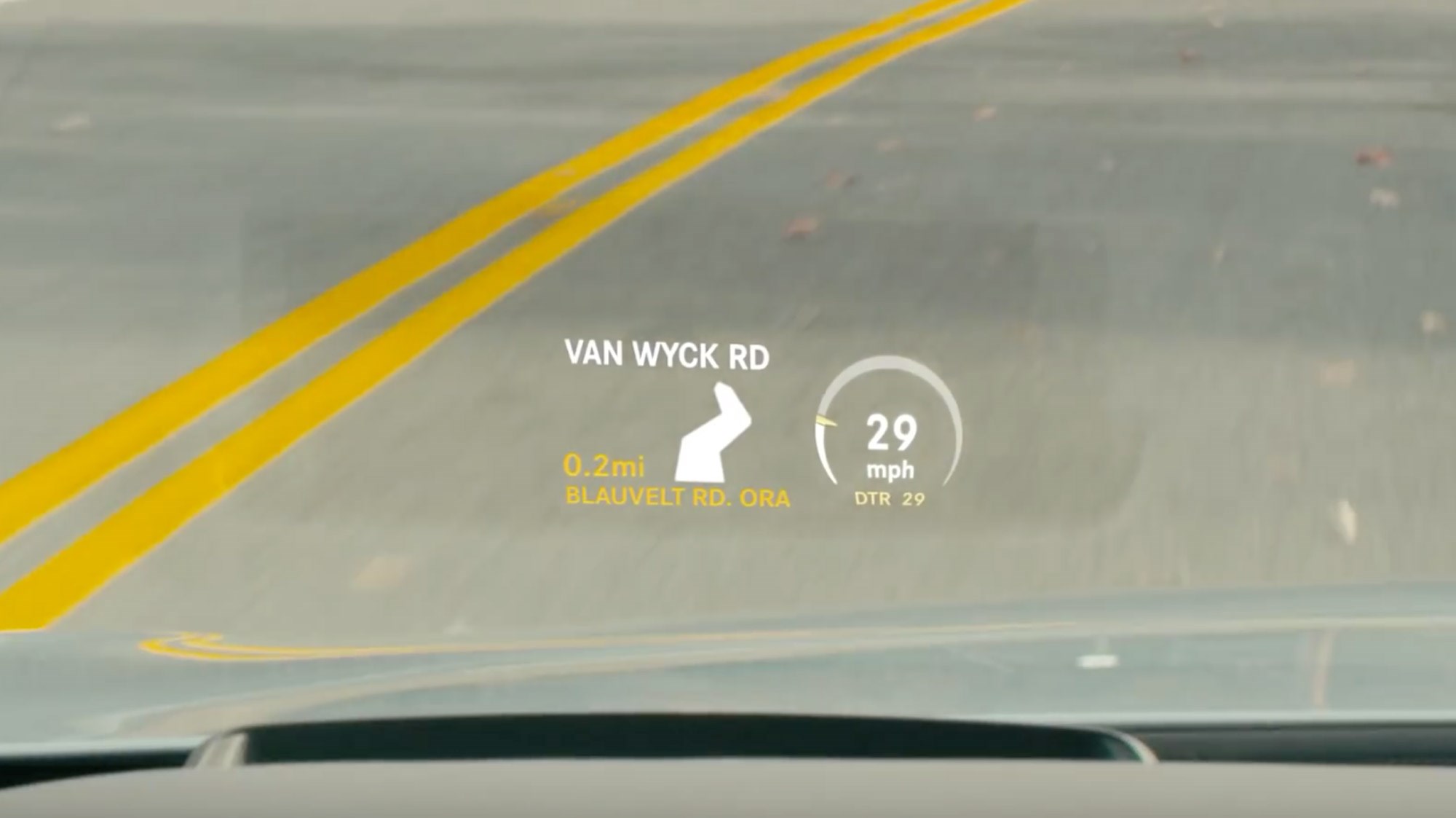
• Turn-by-turn navigation
• Lane guidance
• Adaptive cruise control status
• Forward collision warnings
• Blind-spot warnings
• Lane departure alerts
• Incoming call information
• Audio controls
• Hybrid or electric vehicle power flow
• Engine warnings
A key part of how does a car head up display work is data selection. The system does not create every message itself. It receives data from other vehicle systems and turns that data into a simple visual format.
For example, a forward-facing camera may recognize a speed limit sign. The vehicle computer sends that information to the HUD. The display then shows the speed limit near the driver’s normal line of sight.
Augmented-reality HUDs
An augmented-reality HUD goes beyond showing flat text. It can place arrows, lane markers, or warning symbols so they appear to match real objects on the road.
For example, a navigation arrow may appear to point toward the actual exit. A lane warning may highlight the lane edge. This requires accurate vehicle positioning, camera data, map information, and image calibration.
These systems are more advanced and can be more helpful. However, they also depend on clean sensors, accurate maps, and correct calibration.
How Does a Car Head Up Display Improve Safety?
The main safety benefit is reduced glance time. Looking down at the instrument cluster takes your eyes away from the road. A HUD places selected information closer to your normal view.
The National Highway Traffic Safety Administration has long recognized distraction as a major road safety concern. A HUD cannot remove all distraction, but it may reduce the need to look down for basic information.
A well-designed system can help you:
• Check speed with a brief glance
• Follow navigation without looking at a center screen
• Notice a collision warning sooner
• See lane guidance while keeping your head up
• Monitor adaptive cruise control
Still, a HUD is not a substitute for attention. Drivers can become distracted by too much information, bright graphics, or constant alerts. The safest display is usually the one that shows only what you need.
A practical driving lesson
During real-world vehicle testing, one common mistake is setting the display too bright or too high. The information then competes with the road instead of quietly supporting it.
Set the display so it feels like a soft overlay. If you notice the graphics more than the traffic, reduce the brightness, simplify the content, or turn off optional items.

How Does a Car Head Up Display Work at Night and in Sunlight?
The HUD adjusts brightness to remain visible under changing light. A cabin light sensor may detect daylight, shade, tunnels, or nighttime conditions. The computer then changes the projector’s brightness.
At night, a dim display is important. A bright white image can cause glare and make it harder to see dark roads. During the day, the system needs more light to remain visible through the windshield.
Direct sunlight can still reduce visibility. Snow, dust, fingerprints, polarized sunglasses, and a dirty windshield may also affect the image.
Tips for better visibility
• Keep the windshield clean inside and out.
• Adjust the display brightness manually if automatic control is not ideal.
• Wear sunglasses that do not block the display.
• Avoid placing reflective objects on the dashboard.
• Check the display position after another driver changes the seat.
• Do not use an aftermarket phone HUD where it blocks the road.
Some polarized sunglasses can make certain displays look faint or disappear. This depends on the display design and the angle of the glasses. If you wear polarized lenses, test the HUD during the day before relying on it.
Factory HUD vs. Aftermarket HUD
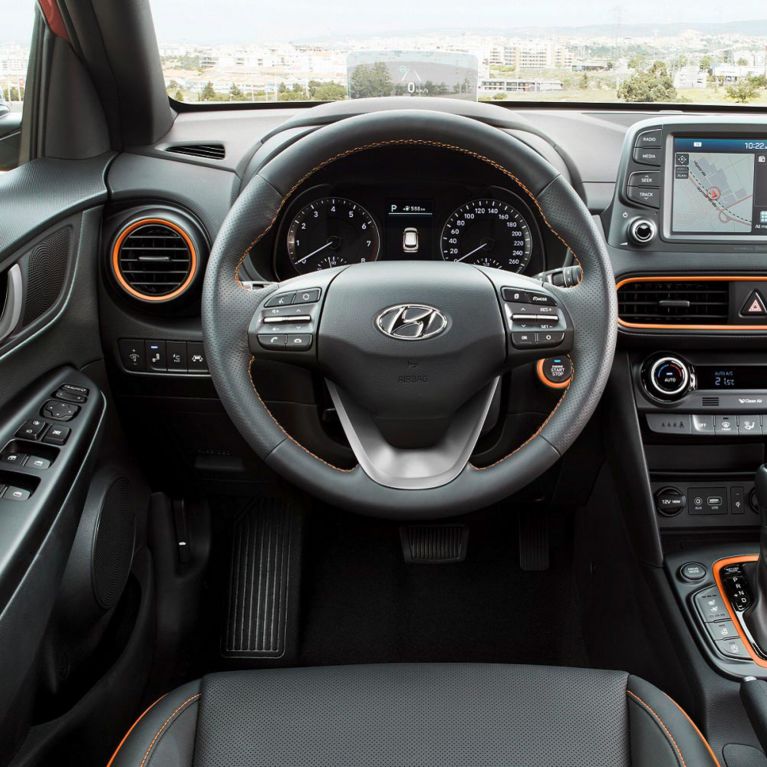
A factory HUD is designed as part of the vehicle. It usually connects directly to the car’s data network and works with the original navigation, safety, and driver-assistance systems.
An aftermarket HUD may be cheaper and easier to add. Many models use GPS to show speed. Others connect through the OBD-II port to read vehicle data.
Factory HUD advantages
• Clean dashboard design
• Better integration with vehicle systems
• More accurate placement
• Stronger daylight performance
• Access to navigation and safety information
• Automatic adjustment with the driver’s seat in some vehicles
Aftermarket HUD advantages
• Lower purchase cost
• Easy installation
• Compatibility with older vehicles
• Useful speed display for cars without a factory system
Aftermarket HUD limits
• Limited access to vehicle data
• Visible cables or dashboard hardware
• Possible GPS delay
• Lower image quality
• Poor performance in direct sunlight
• Risk of blocking part of the windshield
When comparing how does a car head up display work in factory and aftermarket form, the optical principle is similar. The main difference is the quality of the integration, data access, calibration, and display hardware.

Common Problems With Car Head-Up Displays
A HUD is helpful, but it is not perfect. Most problems come from alignment, light, software, or windshield issues.
Double images
A double image often means light is reflecting from more than one glass surface. This can happen after an incorrect windshield replacement or when the display is not properly adjusted.
Display too dim
A dim display may result from strong sunlight, low brightness settings, a dirty windshield, or a failing projector. An aftermarket unit may also lack enough power for bright conditions.
Display too bright
Excess brightness is common at night. Lower the brightness and reduce unnecessary information. If the system does not dim correctly, have the vehicle checked.
Image appears too high or low
The driver’s seating position affects the image. Adjust the HUD height, seat, and steering wheel before changing the display settings.
Missing navigation or warning data
The HUD may depend on a phone connection, map subscription, camera, or vehicle software. A weak connection or dirty sensor can prevent certain information from appearing.
Frozen or flickering image
Restarting the vehicle may clear a temporary software issue. Persistent flickering can indicate a projector, wiring, or control-unit fault and should be inspected by a qualified technician.
How to Adjust and Use a Car HUD Correctly
Learning how does a car head up display work is useful, but proper setup matters just as much. A poorly adjusted HUD can become a distraction.
Follow these steps:
- Sit in your normal driving position.
- Adjust the seat and steering wheel first.
- Set the display height so the image sits below your main view of the road.
- Adjust brightness for current light conditions.
- Select only useful information.
- Test the display on a quiet road.
- Recheck it at night and in bright sunlight.
Do not attempt to read long messages while driving. A HUD should provide quick information, not become another screen to study.
If another person drives the car, check whether the system stores separate driver settings. Some vehicles adjust the HUD with the seat memory. Others require manual changes.
Benefits and Limitations of Head-Up Displays
A balanced view of how does a car head up display work includes both its strengths and weaknesses.
Benefits
• Keeps key information near the road view
• May reduce downward glances
• Makes navigation easier to follow
• Can display safety warnings quickly
• Helps drivers monitor speed
• Creates a modern, integrated driving experience
• Supports electric vehicle range and charging information
Limitations
• It can be expensive to repair
• Windshield replacement requires special glass
• Bright sunlight may reduce visibility
• Polarized lenses may affect the image
• Too much information can distract
• Navigation data may be wrong or outdated
• Camera and sensor errors can affect warnings
• Aftermarket units may look less integrated
A HUD supports good driving habits, but it does not replace them. You still need to scan mirrors, check blind spots, watch traffic, and follow road signs.
Does a Head-Up Display Use a Lot of Power?
A car head-up display uses a small amount of electrical power compared with major systems such as climate control, heated seats, or headlights. Its exact energy use depends on the projector, brightness, screen size, and operating time.
In an electric vehicle, the effect on driving range is usually minor. However, every electrical system draws energy, so power use is not zero.
The more important concern is not energy consumption but attention. A display can be efficient and still be unsafe if it fills the driver’s view with unnecessary information.
Is a Head-Up Display Worth It?
A HUD can be worth the cost if you drive often, use navigation, travel on unfamiliar roads, or want quick speed and warning information. It is especially useful when the display is bright, stable, easy to adjust, and well integrated with the vehicle.
It may not be worth paying extra for a system that shows only a few features you rarely use. Some drivers also prefer a simple instrument cluster and find projected graphics distracting.
Before buying a vehicle with a HUD, test it in daylight and at night. Check whether the image is clear in your normal seating position. Also ask about windshield replacement costs and calibration procedures.
Frequently Asked Questions About How Does a Car Head Up Display Work
Does a car head-up display show information on the windshield?
Yes. A factory system can project information onto a special area of the windshield, while some vehicles use a separate transparent combiner. The image is reflected toward the driver and appears to float ahead of the car.
Can a head-up display work with any windshield?
No. Vehicles with factory HUDs usually need a compatible windshield with the correct optical design. Using standard glass may cause double images, poor focus, or a dim display.
Does a head-up display distract drivers?
It can if it shows too much information or uses excessive brightness. When adjusted correctly, it may reduce the need to look down at the instrument cluster, but drivers must still focus on traffic and road conditions.
Can sunglasses make a HUD disappear?
Some polarized sunglasses can reduce the brightness of certain HUDs because of the way they filter light. Test your sunglasses with the vehicle before depending on the display.
Does a head-up display work when the car is turned off?
Most factory HUDs shut down when the vehicle is turned off. An aftermarket unit may remain powered if it is connected to a constant electrical source, but this can drain the battery if installed incorrectly.
What is the difference between a normal HUD and an augmented-reality HUD?
A normal HUD usually displays information in a fixed area ahead of the driver. An augmented-reality HUD can align graphics with real objects, such as lanes, turns, or vehicles, using cameras, sensors, and positioning data.
Can a head-up display be repaired?
Some issues involve simple settings, software, or calibration. Projector, wiring, windshield, and control-unit problems may require a trained technician, especially when the system connects to vehicle safety features.
Conclusion
A car head-up display works by projecting light through an optical system and reflecting it toward the driver. The result is a virtual image that can show speed, navigation, road signs, and safety alerts without requiring a long glance down.
The technology can improve convenience and may help reduce visual distraction, but it has limits. Proper brightness, clean glass, correct calibration, and simple information settings make the biggest difference.
If you are buying a vehicle with this feature, test the HUD in different lighting and ask about windshield replacement requirements. Use it as a quiet driving aid, not as a second screen, and explore your vehicle manual for the safest setup.