
Why Is My Wireless Car Charger Not Charging: Easy Fixes
Your wireless car charger may not charge because of poor phone alignment, a weak power source, heat, a thick case, or device limits.
If you are asking, “why is my wireless car charger not charging,” the cause is often simple to fix. This guide explains the most likely problems, shows safe tests you can do in your car, and helps you decide whether the fault is in the phone, mount, cable, adapter, or charger.
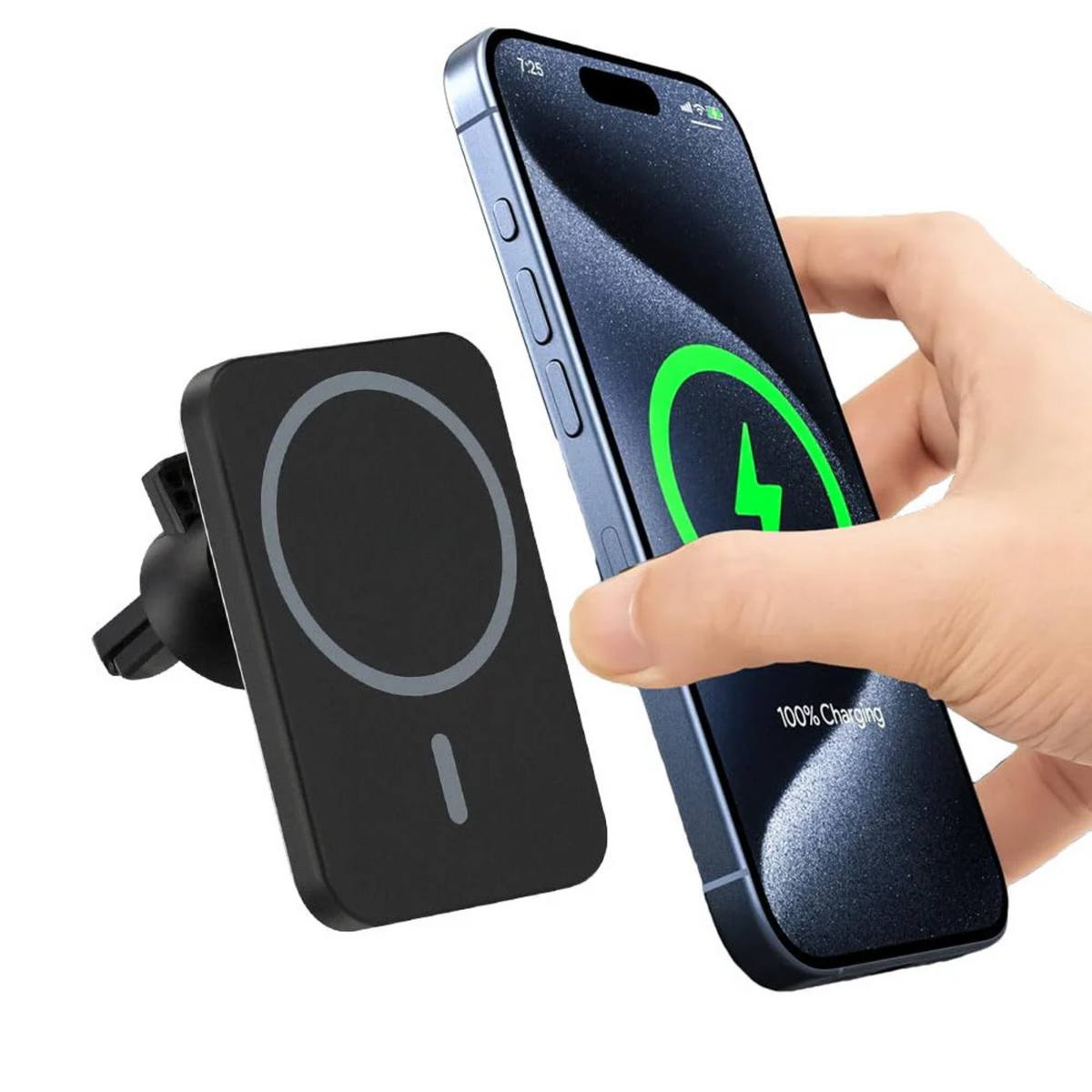
Why Is My Wireless Car Charger Not Charging?
Wireless car chargers use electromagnetic energy to transfer power from a charging coil in the mount to a coil inside your phone. The phone must sit in the correct position, and the charger must receive enough power through its cable and adapter.
When any part of this chain fails, charging may stop. Your phone may show a charging symbol for a few seconds, charge very slowly, or refuse to charge at all.
The most common reasons include:
• The phone is not centered on the charging coil.
• The phone case is too thick or contains metal.
• The car charger has a weak or damaged power cable.
• The USB adapter cannot supply enough power.
• The phone or charger is too hot.
• The mount does not support your phone’s wireless charging standard.
• Dirt, movement, or vibration breaks the connection.
• The phone has a software or hardware fault.
A wireless charger is like a pair of cups that must line up to pour water. If the cups sit slightly apart, very little gets through.

Check the Phone’s Position First
Poor alignment is the fastest answer to why is my wireless car charger not charging. Most wireless charging mounts have a small charging coil in the center. Your phone’s coil must rest over it.
This problem is common with large phones, small phones, camera bumps, and adjustable mounts. The phone may look secure while the coils are still offset.
Try these steps:
-
Remove the phone from the mount.
-
Place it back with the center of the phone aligned with the center of the charging pad.
-
Check for a charging sound, icon, or light.
-
Move the phone slowly up, down, left, and right.
-
Stop when charging begins.
If charging starts only in one narrow position, the mount may not hold the phone firmly enough. Tighten the side arms or adjust the lower support shelf.
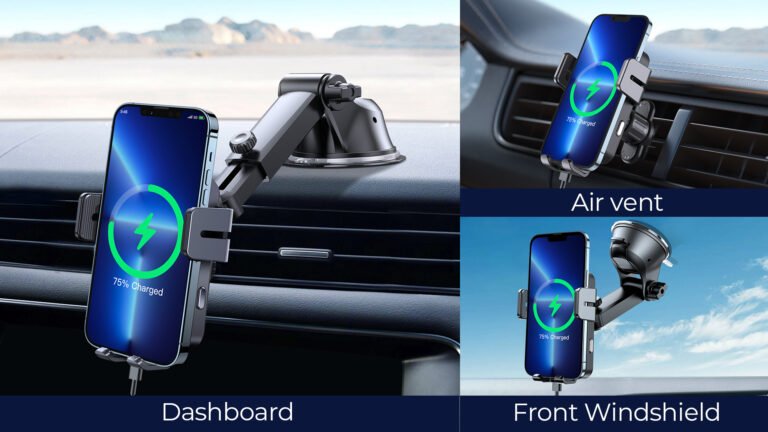
Some car mounts use automatic arms. These can grip the phone near its edges but leave the phone coil too high or too low. In that case, move the bottom support or use a mount designed for your exact phone size.

Remove a Thick or Magnetic Phone Case
A case can block or weaken wireless power. This is especially true when the case is thick, rugged, contains metal, or uses a magnetic plate for a dashboard mount.
Test the charger with the case removed. If the phone charges without the case, the case is the main problem.
Cases that may cause trouble include:
• Heavy-duty outdoor cases
• Wallet cases with cards or metal clips
• Cases with built-in kickstands
• Cases with metal plates
• Cases with magnets that do not match the charger
• Cases thicker than the charger maker recommends
Magnetic rings can also create confusion. Some newer phones and chargers use a magnetic alignment system, such as MagSafe or Qi2. A random magnetic ring may hold the phone in place but may not line up with the charger’s coil.
Do not place credit cards, hotel key cards, access badges, or other magnetic items between the phone and charger. Wireless power and heat may damage cards or affect their magnetic data.

Inspect the Cable and Car Power Adapter
If you are still wondering why is my wireless car charger not charging, check the power path. The mount may be fine, but the cable or adapter may not deliver steady power.
Start with the cable. Look for cuts, bent ends, loose plugs, or signs of heat. A cable may charge another device but still fail with a wireless car charger if it cannot deliver stable power.
Then check the car adapter. Many older USB adapters provide only basic power. A fast wireless charger may need more power than a basic 5-watt adapter can supply.
Try the following:
• Push the cable firmly into the charger.
• Push the adapter firmly into the car’s power socket.
• Test a different cable.
• Test a different USB power adapter.
• Try another power socket if your vehicle has one.
• Check whether the socket turns off when the car is off.
Many wireless chargers need USB-C power and a compatible USB Power Delivery adapter. A charger labeled “15 watts” does not always receive 15 watts from every adapter.
Some vehicles also reduce power when the battery is low or when the ignition is off. Test the charger with the engine running, but do not leave the phone charging unattended in a hot parked car.

Check Compatibility With Your Phone
Wireless charging is not universal in the same way across all phones. Some phones support the Qi standard. Others support Qi2, MagSafe, or a brand-specific version of fast wireless charging.
A charger may still work with a compatible phone but charge at a lower speed. In some cases, the phone may not charge at all.
Check these details:
• Does your phone support wireless charging?
• Does the mount support your phone’s wireless standard?
• Does it support the phone’s charging speed?
• Does it require a magnetic ring or magnetic case?
• Does the phone maker limit charging with third-party accessories?
A phone that lacks a wireless charging coil cannot charge from a wireless mount. Some low-cost phones look similar to wireless models but do not include this feature.
Also check the charger’s product details. Terms such as “wireless-ready,” “magnetic phone holder,” and “wireless charging” do not always mean the same thing. A magnetic holder may hold your phone without transferring power.

Watch for Heat and Temperature Limits
Heat is a major reason why is my wireless car charger not charging. Wireless charging creates some heat by design. A phone inside a warm car can reach its safety limit quickly.
Modern phones reduce or stop charging when they become too hot. This protects the battery and internal parts. The charger may also reduce output if its own circuit becomes warm.
Heat can build up when:
• The phone is in direct sunlight.
• The car is parked in a hot area.
• Navigation and mobile data are running.
• The screen stays bright for a long time.
• The case traps heat.
• The charger sits behind a warm air vent.
Try these steps:
-
Move the phone away from direct sunlight.
-
Remove the case for a short test.
-
Close apps that you do not need.
-
Lower screen brightness.
-
Move the mount away from hot air.
-
Let the phone cool before charging again.
Do not place an ice pack on the phone. Sudden cooling can create moisture inside or around the device. Let it cool naturally in a shaded, dry place.
Wireless charging may also feel slow while using GPS. Navigation uses power at the same time as charging, so the battery level may stay flat instead of rising. That does not always mean the charger is broken.

Clean the Charging Surface and Phone
Dust and debris can prevent proper contact between the phone and mount. Dirt may also push the phone slightly away from the charger.
Clean both surfaces with a soft, dry cloth. Do not spray liquid directly onto the charger or phone. Avoid sharp tools that could damage the charger pad or phone case.
Look closely for:
• Sand or dust
• Sticky residue
• Cracked plastic
• Loose rubber pads
• A bent charging shelf
• Debris inside the USB port
If the mount uses spring-loaded arms, check that they move smoothly. A weak spring may allow the phone to shift during a turn or over a bump.
Vibration is easy to overlook. On a rough road, the phone can move just enough to break the charging connection. A sturdy mount with a firm lower support often works better than a loose mount with wide arms.

Restart the Phone and Update Its Software
A temporary software issue can affect wireless charging. The phone may fail to detect the charger even when the hardware works correctly.
Restart the phone first. Then install any available system update from the phone maker. Updates can improve charging control, temperature management, and accessory support.
You can also test the phone with a known working wireless charging pad at home. This simple test helps separate a phone problem from a car charger problem.
Use this process:
-
Restart the phone.
-
Remove the case.
-
Place the phone on a known working charger.
-
Test the car charger with another compatible phone.
-
Compare the results.
If your phone fails on several wireless chargers, its charging coil or internal circuit may have a fault. If another phone works on your car mount, the problem is likely related to your phone, case, or compatibility.
Do not install random charging apps. Wireless charging is controlled by the phone’s operating system and hardware. An app cannot repair a broken coil or create wireless charging in a phone that does not support it.
Understand Charging Speed and Battery Protection
Sometimes people ask why is my wireless car charger not charging when the phone is charging very slowly. Slow charging can look like no charging, especially during navigation.
Wireless charging is often less efficient than wired charging. Some energy becomes heat during the transfer. The phone may also lower its charging speed when the battery is nearly full.
Battery protection features can pause charging at a set level. Many phones use optimized charging to reduce the time spent at a high battery level. This can be normal behavior, not a defect.
A few signs point to normal slow charging:
• The battery rises when the screen is off.
• The phone shows a charging symbol.
• The phone charges faster after cooling.
• A wired charger works at normal speed.
• The charger works with another compatible phone.
For the best result, use a charger and adapter rated for your phone. A high watt rating alone does not guarantee fast charging. The phone, charger, cable, and power adapter must all support the same charging method.
Test the Car Charger in a Safe Order
A step-by-step test can save time and prevent unnecessary purchases. I recommend changing one item at a time. If you replace the phone, cable, adapter, and mount together, you will not know which part caused the problem.
Use this troubleshooting order:
-
Start the car and turn on the power socket.
-
Remove the phone case.
-
Center the phone on the charging coil.
-
Test with the screen off for five minutes.
-
Try a different cable.
-
Try a stronger, compatible car adapter.
-
Test another wireless-charging phone.
-
Test your phone on a home wireless charger.
-
Inspect the mount for cracks, loose parts, or heat damage.
-
Check the product manual for power and compatibility requirements.
This method usually identifies the faulty part. For example, if another phone charges on the mount, your phone or case is the likely cause. If no phone charges after you replace the cable and adapter, the mount may have failed.
Stop using the charger if it smells like burning plastic, becomes unusually hot, sparks, or shows melted parts. Replace it with a certified product from a reliable seller.
Common Mistakes to Avoid
Many charging problems become harder to solve because of a few common mistakes. Avoid these habits when diagnosing why is my wireless car charger not charging.
• Do not assume the phone is aligned because it is held tightly.
• Do not use a metal plate between the phone and charger.
• Do not test only with the engine off.
• Do not use a damaged or very cheap cable.
• Do not cover the charger with cloth or other material.
• Do not keep charging in direct summer sunlight.
• Do not force a phone into a mount that presses on its buttons.
• Do not judge charging speed while using navigation and video.
• Do not buy a new phone before testing the cable and adapter.
In my experience testing charging setups, the adapter is often ignored. People replace the mount first, yet the old USB adapter cannot provide enough power. A five-minute adapter test can prevent an unnecessary replacement.
Another common mistake is using a magnetic plate designed for a regular phone holder. It may block the charging coil and make wireless charging impossible.
When You Should Replace the Charger
A wireless car charger may need replacement when basic tests do not restore charging. Signs of a failing unit include repeated cutoffs, a loose USB port, flickering lights, unusual heat, or a cracked charging surface.
Before buying a new one, check the warranty and return policy. Keep the receipt if possible. A reputable charger should list its input requirements, supported wireless standard, output levels, and safety features.
Look for:
• Clear Qi or Qi2 compatibility details
• Overheat protection
• Overcurrent protection
• Foreign object detection
• A suitable USB-C cable
• A power adapter that matches the charger
• Strong, adjustable mounting hardware
• A design that fits your phone and case
Wireless charging has limits. It is convenient, but it may be slower than a cable and more sensitive to heat and alignment. If you need rapid charging during a long trip, a wired USB-C connection may be the better choice.
Frequently Asked Questions
Why is my wireless car charger not charging my phone but charging another phone?
Your phone may be misaligned, too hot, incompatible, or blocked by its case. Test it without the case and compare it with a known working wireless charger.
Why does my wireless car charger keep starting and stopping?
Starting and stopping often means poor alignment, vibration, heat, or unstable power from the cable or adapter. Center the phone, cool it down, and test a different cable and power adapter.
Can a thick phone case stop wireless charging?
Yes. Thick cases, metal plates, wallet cases, and some magnetic accessories can block or weaken wireless power. Remove the case to confirm whether it causes the problem.
Does a car need to be running for a wireless charger to work?
Not always, but many vehicles reduce or shut off power when the engine is off. Start the car during testing and check whether the power socket remains active after the ignition is turned off.
Why is my wireless car charger charging so slowly?
Heat, navigation, a weak adapter, poor alignment, and battery protection settings can reduce charging speed. Wireless charging may also provide less usable power than wired charging because some energy becomes heat.
Can a wireless car charger damage my phone battery?
A certified charger should not damage the phone during normal use because phones regulate charging and temperature. Excessive heat, poor-quality accessories, or damaged equipment can increase risk, so stop using any charger that becomes abnormally hot.
Conclusion
When asking why is my wireless car charger not charging, begin with the simple causes: alignment, case thickness, heat, cable quality, adapter power, and compatibility. Test one part at a time, and use another phone or charger to isolate the fault.
A clean mount, strong power source, compatible case, and correct phone position solve many problems. If the charger shows heat damage or still fails after careful testing, replace it with a certified model that matches your phone.
Try these checks before buying new equipment, and share your results or questions in the comments so other drivers can learn from your experience.

One Comment