How To Use Ticarve Dust Cleaning Gel: Easy Guide
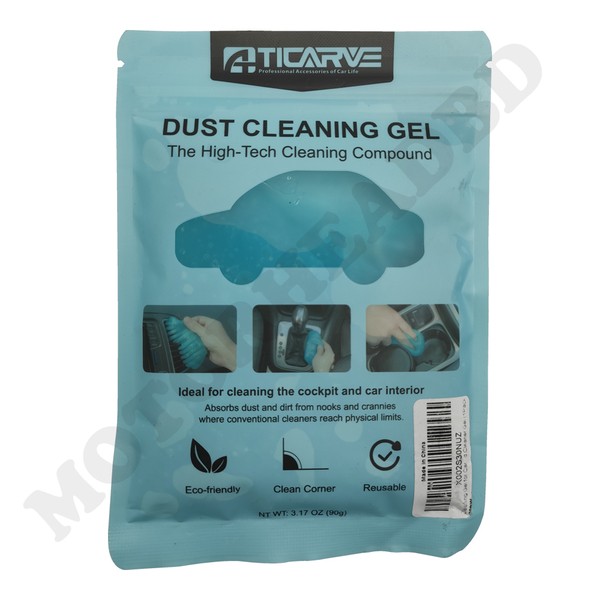
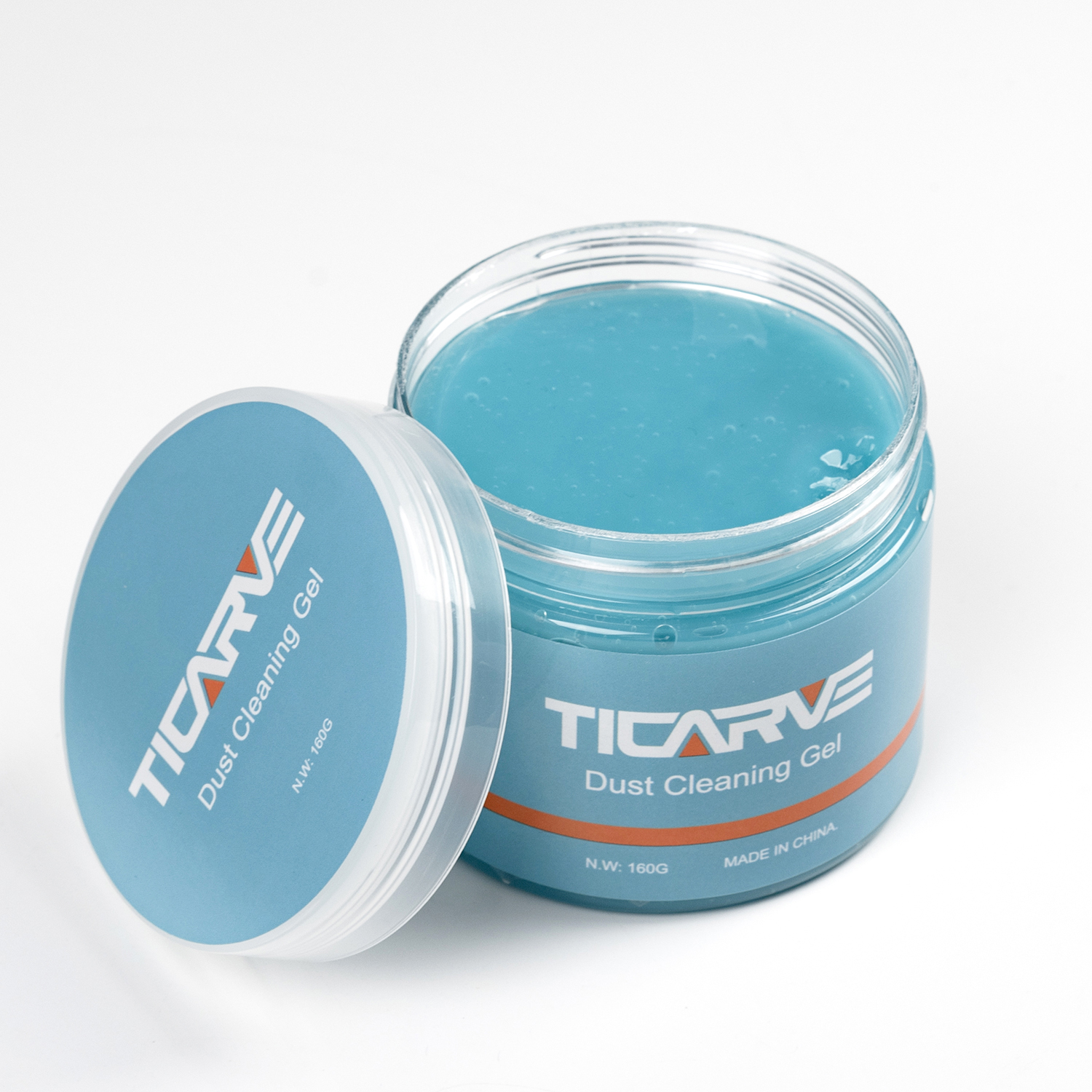
Ticarve dust cleaning gel is a reusable, moldable cleaner for picking up loose dust, crumbs, lint, and light debris from small spaces. To use it, remove a small amount of gel, press it gently onto the dirty area, lift it away, and fold the collected dirt into the gel before repeating.
In the United States, this type of cleaning gel is commonly used on keyboards, car vents, cup holders, dashboards, remotes, and other hard surfaces with narrow gaps. It is not a replacement for soap, disinfectant, compressed air, or a damp cloth. Always check the Ticarve package instructions first, because directions, warnings, and material limits can vary by product version.
What Is Ticarve Dust Cleaning Gel?
Ticarve dust cleaning gel is a soft, sticky cleaning compound that conforms to uneven surfaces. Unlike a cloth, it can reach between keys, around buttons, and inside shallow grooves. It lifts loose particles by contact rather than blowing them into the air.
The gel works best on:
- Dry dust
- Small crumbs
- Hair and lint
- Loose dirt
- Light debris in narrow gaps
- Surface particles around buttons and switches
It does not reliably remove:
- Grease or oil
- Dried food
- Sticky spills
- Heavy stains
- Mold
- Bacteria or viruses
- Debris stuck deep inside a device
Ticarve cleaning gel should be viewed as a detail-cleaning tool. It helps with small particles, but it does not sanitize a surface unless the product label specifically makes and supports that claim.
How to Use Ticarve Dust Cleaning Gel
Follow these steps for the safest and most effective result.
1. Read the product label
Before opening the container, check the instructions and warnings on the Ticarve package. Look for information about recommended surfaces, storage, temperature limits, and materials to avoid.
Product formulas can differ. The package directions are the best source for the exact Ticarve version you own.
2. Turn off and unplug electronics
If you are cleaning a keyboard, game controller, remote, computer, or other electronic item, turn it off first. Unplug it when practical.
Do not use the gel on a powered device if it could press a button, block a port, or leave material near an opening. Never push the gel into USB ports, speakers, vents, fans, or other deep openings.
3. Remove a small piece
Take a small portion of gel from the container. A piece about the size of a walnut is usually easier to control than a large lump.
Using too much gel can make it harder to remove from tight spaces. Start small and add more only when needed.
4. Press the gel onto the surface
Place the gel over the dusty area and press lightly. Do not scrub it back and forth.
A gentle press allows the gel to contact the dust. Rubbing can spread dirt, create residue, or force the gel into gaps.
5. Lift the gel straight up
Pull the gel away from the surface. Inspect the area. If dust remains, press a clean section of the gel onto that spot and lift again.
Use short, controlled presses around:
- Keyboard keys
- Car air vents
- Dashboard seams
- Remote-control buttons
- Cup holders
– Camera and printer exteriors - Desk organizers
- Small household grooves
6. Fold the dirty area inward
After each use, fold the outside of the gel toward the center. This traps collected dust inside the compound and exposes a cleaner surface.
Continue folding and pressing until the area looks clean or the gel becomes visibly dirty.
7. Return the gel to its container
Place the gel back in its original container and close the lid tightly. Store it in a cool, dry place away from direct sunlight, heat, children, and pets.
Do not leave the gel on a surface for long periods. It is designed for short contact and removal, not for use as a permanent surface covering.
Source: partschai.com
Where Can You Use Ticarve Cleaning Gel?
Use Ticarve gel on hard, nonporous surfaces that are dry and stable. Test an unseen area first, especially when the surface has a coating or textured finish.
Keyboards and computer accessories
Ticarve gel can collect loose dust and crumbs around keyboard keys. Press lightly between the keys rather than forcing the gel below them.
Avoid getting gel inside:
- USB ports
- Headphone jacks
- Speaker openings
- Cooling vents
- Fan housings
- Mechanical switches with large gaps
For a laptop, shut it down and disconnect the charger before cleaning. Hold the laptop securely so the gel does not fall into the keyboard or hinge area.
Car interiors
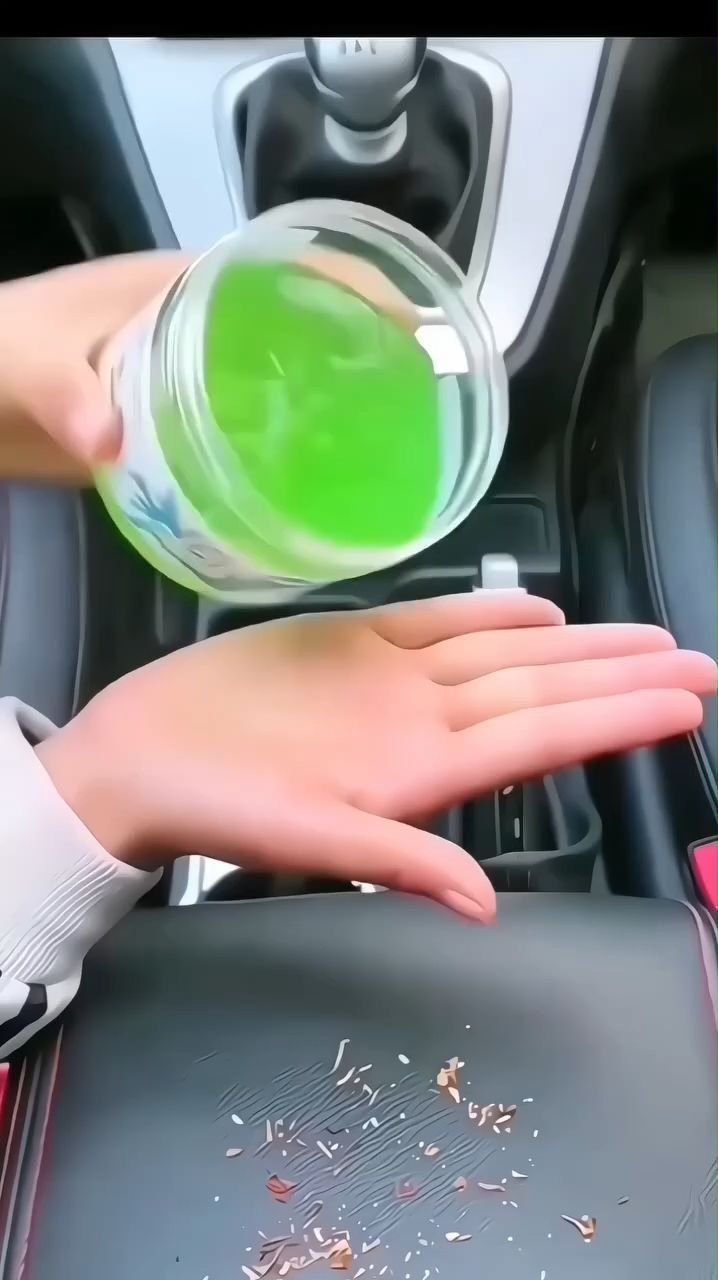
The gel may help collect dust from air vents, dashboard seams, gear selectors, cup holders, and other hard interior surfaces.
Use care around:
- Leather seats
- Suede-like trim
- Glossy panels
- Touchscreens
- Instrument displays
- Buttons with loose edges
Do not use it while driving. Park the vehicle, turn off the ignition, and keep the gel away from pedals, steering controls, and safety equipment.
Remote controls and game controllers
Press the gel around buttons and seams to pick up surface dust. Do not push it into openings or use it on a wet controller.
For a controller with an active spill, stop using the device and follow the manufacturer’s cleaning guidance. Gel cannot safely remove liquid from inside electronics.
Household items
You can use the gel on many dry, hard items, such as:
- Desk accessories
- Drawer handles
- Plastic storage bins
- Printer exteriors
- Shelving grooves
- Decorative objects
- Air-conditioner vents
Test first on painted, coated, or glossy surfaces. Some finishes can react to repeated contact with a tacky cleaning product.
Source: ticarve.com
Surfaces and Items to Avoid
Do not use Ticarve dust cleaning gel on every surface. Its sticky texture can leave residue or pull at delicate materials.
Avoid or use extreme caution on:
- Carpet and rugs
- Clothing and other fabric
- Upholstery
- Unsealed wood
- Paper and cardboard
- Soft leather
- Suede
- Freshly painted surfaces
- Cracked or peeling coatings
- Wet surfaces
- Oily surfaces
- Very hot surfaces
- Delicate screens unless the label permits it
Do not use the gel to clean a liquid spill. Moisture can change the gel’s texture and may spread the spill. Blot liquid with an appropriate cloth first, then follow the device or material manufacturer’s cleaning instructions.
Do not use Ticarve gel as a substitute for a disinfectant. If a surface needs sanitizing, use a product approved for that surface and follow its contact-time directions.

Source: companypriext.co.uk
How to Clean Electronics With Ticarve Gel
Electronics need extra care because dust may be near sensitive openings and electrical parts.
Use this process:
- Power off the device.
- Unplug it when possible.
- Remove loose debris with a soft, dry brush if needed.
- Press a small piece of gel onto the outer surface.
- Lift the gel without rubbing.
- Keep the gel away from ports, speakers, vents, and deep seams.
- Inspect the device before turning it back on.
- Close the gel container after use.
For phones and tablets, do not press the gel over the screen unless the Ticarve label specifically allows screen use. A clean, dry microfiber cloth is usually a better first choice for glass displays.
For a desktop computer, the gel is suitable only for limited exterior detail cleaning. It should not replace proper dust removal from internal components. If internal cleaning is needed, follow the computer maker’s instructions or ask a qualified technician.

Source: ebay.com
How to Clean a Car With Ticarve Gel
Ticarve gel can help with small areas of loose dust in a vehicle, but it should not be used on every interior material.
Recommended method
- Park the car safely and turn off the ignition.
- Remove large debris by hand.
- Test the gel on a hidden section.
- Press it lightly onto hard, dry trim.
- Lift it straight up.
- Fold the dirty section inward.
- Repeat on the next small area.
- Wipe any residue with a clean microfiber cloth if the surface allows it.
Avoid using the gel near pedals, seat belts, air-bag seams, or steering controls. These areas have safety functions and should not be coated with sticky material.
Do not use the gel to clean a touchscreen unless the label permits it. Screen coatings can be sensitive to pressure, residue, and unsuitable cleaners.

Source: amazon.sa
How to Know When the Gel Is Used Up
Stop using Ticarve cleaning gel when it becomes heavily soiled, changes texture, breaks apart, or leaves residue after light contact.
A reusable gel can collect dust only up to a practical limit. Folding it repeatedly may hide some dirt, but it does not restore the gel indefinitely.
Replace it if:
- The gel stays dirty after folding
- It leaves a sticky film
- It becomes runny
- It becomes hard or brittle
- It loses its shape
- It picks up an unpleasant odor
- It breaks into pieces
Do not wash the gel with water unless the product instructions specifically say that it is washable. Water can damage the formula and make it unsuitable for later use.
Dispose of used gel according to the product label and local household-waste rules. Do not flush it down a drain.

Source: cleanestor.com
Troubleshooting Ticarve Cleaning Gel
The gel leaves residue
Possible causes include a warm surface, long contact time, oily dirt, or a product that has begun to break down.
Stop using it on that surface. Remove light residue with a clean microfiber cloth and a surface-safe cleaner. Test any cleaner in a hidden spot first.
The gel will not pick up dust
The surface may be wet, greasy, or covered with heavy debris. Remove large particles first, let the surface dry, and use a fresh section of gel.
If the gel has hardened, become watery, or lost its tack, replace it.
The gel breaks apart
This may happen when the gel is old, overheated, contaminated, or pulled into a sharp gap. Stop using it if pieces remain on the surface.
Pick up loose pieces by hand where safe, then use a dry cloth suitable for the material.
The gel gets stuck between keys or buttons
Do not use a sharp tool to dig it out. Turn off the device and remove the material slowly with a clean, dry, lint-free cloth or a soft brush. If the gel has entered the device, consult the manufacturer or a repair professional.
The gel has a strong smell
Close the container and ventilate the area. If the odor causes discomfort, headache, or irritation, stop using the product and follow the label’s first-aid guidance.

Source: amazon.co.uk
Common Mistakes to Avoid
The most common mistake is treating cleaning gel like a scrubber. Press and lift it instead of rubbing it across the surface.
Also avoid these errors:
- Using too much gel at once
- Cleaning a powered electronic device
- Leaving the gel on a surface
- Using it on wet or oily dirt
- Pushing it into ports or vents
- Using it on fabric without label approval
- Applying it to hot surfaces
- Cleaning a touchscreen without checking the label
- Storing it in direct sun
- Sharing it between very dirty and delicate surfaces
- Assuming it disinfects
- Continuing to use gel that has changed texture
A small test area can prevent a large cleaning problem. When the material or finish is uncertain, test first or choose a dry microfiber cloth instead.

Source: amazon.ca
Ticarve Cleaning Gel vs. Other Cleaning Methods
The best tool depends on the type of dirt and the surface.
| Cleaning need | Better first choice |
|---|---|
| Loose dust in shallow gaps | Ticarve cleaning gel or a soft brush |
| Dust inside deep vents | Manufacturer-approved air cleaning method |
| Fingerprints on glass | Clean microfiber cloth |
| Grease or oily residue | Surface-safe cleaner and microfiber cloth |
| Liquid spills | Blotting material and manufacturer guidance |
| Disinfection | Approved disinfectant used as directed |
| Heavy debris inside electronics | Professional or manufacturer-approved service |
Ticarve gel is most useful when dust is loose, dry, and located in small exterior gaps. It is less useful for stains, grease, liquid, or debris inside a device.

Source: ticarve.com
Frequently Asked Questions
Can I use Ticarve dust cleaning gel on a laptop keyboard?
Usually, it can be used for loose surface dust around laptop keys if the label permits it. Turn the laptop off, unplug it, use a small amount, and keep the gel out of ports, vents, and deep gaps.
Is Ticarve cleaning gel safe for car dashboards?
It may be suitable for dry, hard dashboard trim, but test a hidden area first. Avoid delicate coatings, soft-touch materials, screens, and safety-related controls unless the product label specifically approves them.
Does Ticarve cleaning gel disinfect?
Do not assume it does. A dust-cleaning gel removes loose particles by contact. Use an appropriate disinfectant when sanitizing is required.
Can I wash Ticarve cleaning gel?
Only wash it if the package instructions specifically state that it is washable. Many cleaning gels are designed to be folded and reused rather than rinsed.
How should I store Ticarve cleaning gel?
Keep it sealed in its original container in a cool, dry place. Protect it from direct sunlight, heat, moisture, children, and pets.
Key Takeaways
- Use Ticarve gel by pressing it lightly onto dry, hard surfaces and lifting it away.
- Fold the dirty part inward after each use.
- Use a small amount to reduce the risk of residue.
- Turn off and unplug electronics before cleaning them.
- Keep the gel away from ports, vents, speakers, screens, and deep gaps.
- Do not use it as a disinfectant or for liquid spills.
- Test delicate, painted, coated, or unfamiliar surfaces first.
- Replace the gel when it becomes dirty, runny, hard, crumbly, or sticky.
Conclusion
Ticarve dust cleaning gel works best as a short-contact tool for loose dust and crumbs in small, hard-to-reach areas. Press it gently, lift it rather than scrub, fold the dirty section inward, and store it sealed after use.
For delicate surfaces, wet spills, grease, stains, or internal electronics, use a method made for that specific material or device. When the package directions differ from this general guide, follow the Ticarve label.