
How Does A Wireless Car Charger Work In A Car: Explained
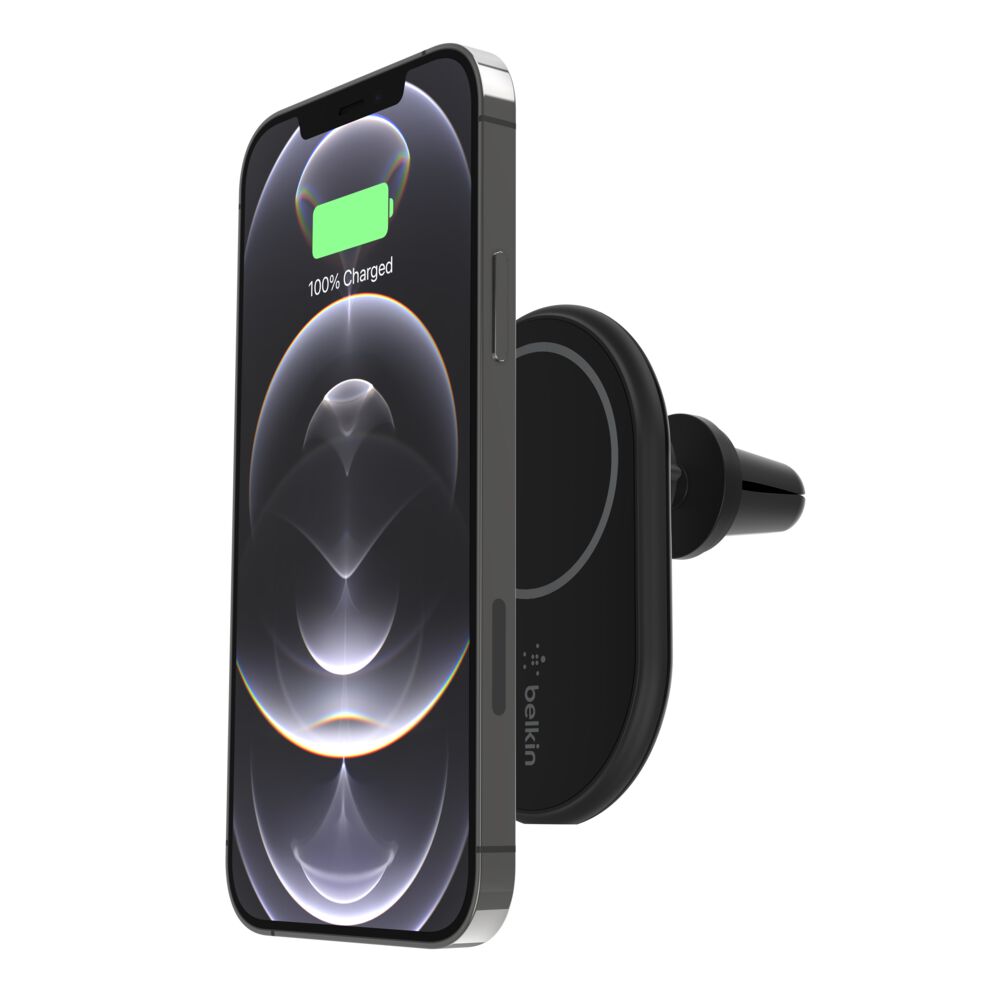
A wireless car charger uses magnetic induction to send power from a charging pad to your phone without a cable.
Understanding how does a wireless car charger work in a car helps you choose the right mount, use it safely, and avoid common charging problems. The process combines a car’s 12-volt power system, a charging pad, copper coils, and your phone’s wireless charging receiver. Once these parts line up, energy moves through a small air gap, much like an invisible bridge between the charger and the battery.

How does a wireless car charger work in a car?
A wireless car charger works through a process called electromagnetic induction. The charger receives electricity from the vehicle’s USB port, 12-volt outlet, or built-in charging system. It then changes that electricity into a magnetic field.
Your phone has a small receiving coil under its back cover. When this coil sits close to the charger’s transmitting coil, it captures the magnetic energy and changes it back into electrical energy. The phone then sends that power to its battery management system.
The basic process looks like this:
- The car supplies power to the charger.
- The charger converts electrical power into a changing magnetic field.
- The phone’s receiving coil detects that field.
- The phone converts the energy back into electrical power.
- The battery control system manages the charging speed and safety.
The charger and phone do not need a direct metal connection. However, they must be close and correctly aligned. Most wireless car chargers use the Qi standard, which supports communication between compatible devices and charging pads.
This communication is important. The phone tells the charger how much power it needs. The charger can then reduce, increase, or stop power delivery. That helps prevent excess heat and battery stress.
The main parts inside a wireless car charger
To understand how does a wireless car charger work in a car, it helps to look at the parts inside the unit. Although the charger may look like a simple phone holder, it contains several electronic parts.
Power input
The power input connects the charger to the car. Common options include:
• A USB A port
• A USB C port
• A 12-volt accessory socket
• A factory-installed wireless charging tray
The input must provide enough power for the charger. A weak USB port may keep the phone connected but charge it very slowly.
Power control circuit
This circuit manages the electricity entering the charger. It changes the vehicle’s power into a form the transmitter coil can use. It also helps control voltage, current, and heat.
A good charger includes protection against:
• Excess current
• High temperature
• Short circuits
• Voltage changes
• Foreign metal objects
Transmitting coil
The transmitting coil is usually made from tightly wound copper wire. It creates the changing magnetic field that carries energy to the phone.
The coil needs to sit close to the phone’s receiving coil. This explains why thick cases, poor alignment, and large gaps can lower charging performance.
Phone holder or charging surface
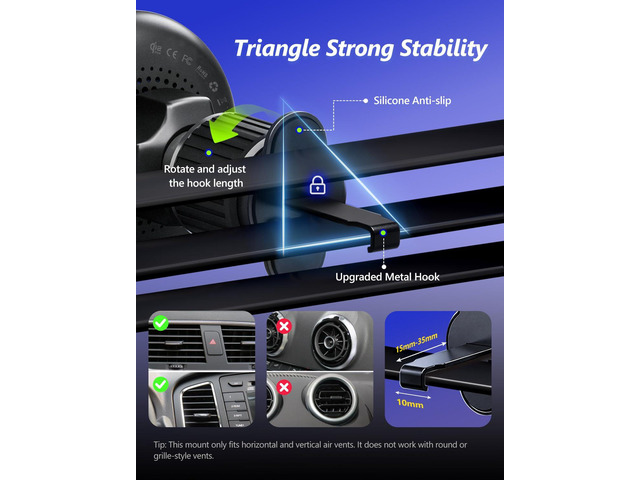
the physical mount keeps the phone near the transmitting coil. Some models use side arms, magnetic plates, or a flat tray. A stable design matters because road bumps can move the phone out of the correct charging position.
Cooling system
Some fast wireless chargers have vents, heat sinks, or small fans. Wireless charging creates more heat than a direct cable in many cases. Cooling helps the charger maintain a steady output.
What role does the Qi standard play?
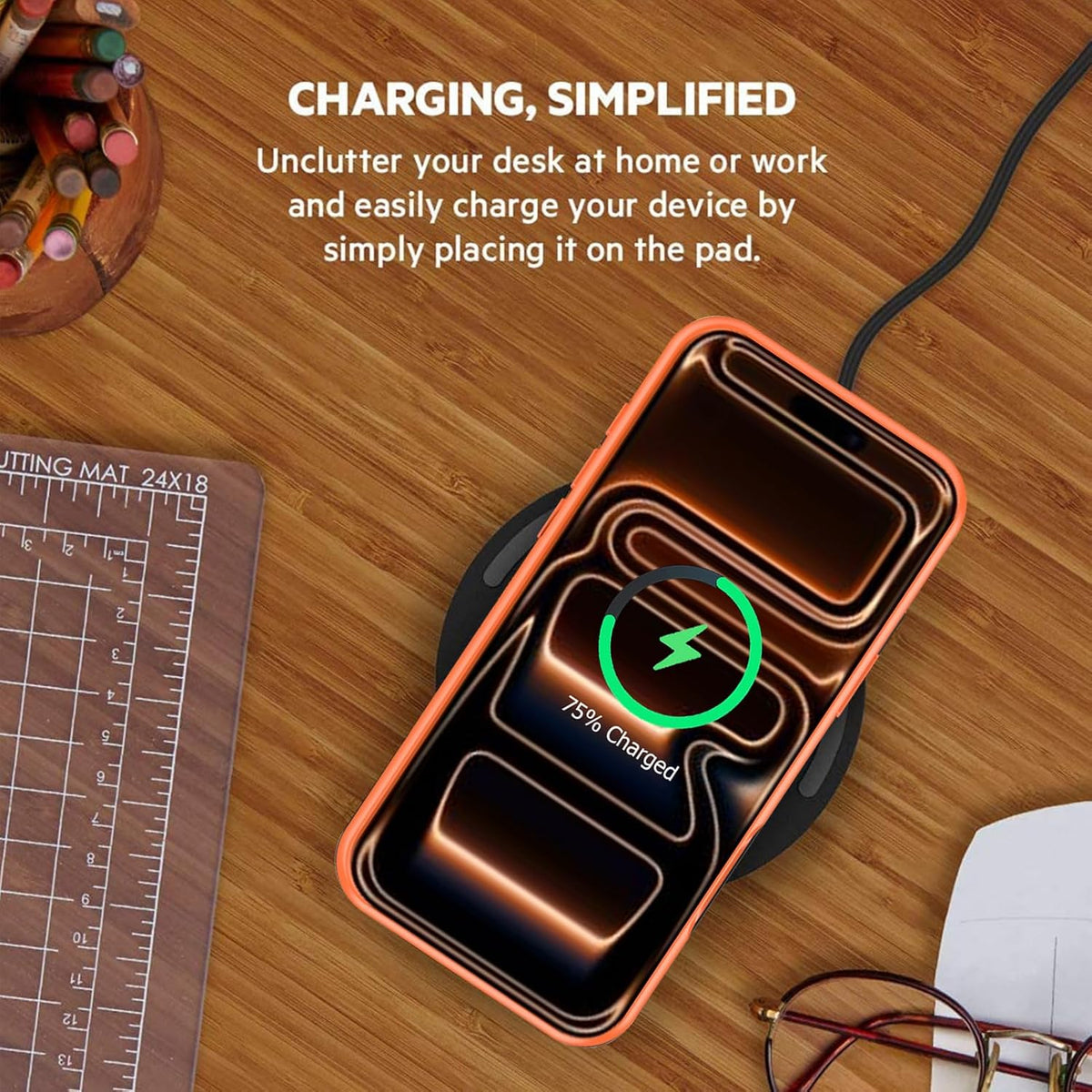
The Qi standard gives phones and chargers a shared language. It defines how devices transfer power and communicate during charging. Without a common standard, each phone maker could require a different type of wireless charger.
Qi charging uses two key actions:
• The charger sends power through its transmitter coil.
• The phone responds through its receiver coil and control system.
The phone can signal that it is full, too hot, or incorrectly placed. The charger can then lower power or stop charging.
Newer Qi2 systems add better magnetic alignment for supported phones and accessories. Stronger alignment can improve convenience and reduce energy loss. Still, not every phone or car charger supports Qi2, so check the product details before buying.
A Qi-certified charger is generally a safer choice than an unknown model. Certification does not mean every product performs equally well, but it shows that the device follows key industry requirements.
How power moves from the car to the phone
A car battery stores direct current, often called DC power. The car’s USB port or accessory outlet sends this power to the charger. The charger’s internal electronics prepare it for wireless transmission.
The transmitting coil does not send ordinary current directly into the phone. Instead, it creates a rapidly changing magnetic field. The receiving coil in the phone reacts to this field and produces an electrical current.
This process is similar to two people passing a ball across a small gap. The charger starts the transfer, and the phone catches the energy with its receiving coil. The closer and better aligned the two coils are, the easier the transfer becomes.
Wireless charging is not perfectly efficient. Some energy becomes heat, and some is lost during conversion. That is why a phone may charge more slowly or become warmer on a wireless pad than with a high-quality cable.
Does the car itself power the wireless charger?
Usually, the car powers the charger, but the charger does the actual wireless energy transfer. A factory charging tray may be connected to the vehicle’s wiring. An aftermarket unit normally plugs into a USB port or 12-volt outlet.
The car provides the starting power. The wireless charger controls how that power reaches the phone.
This difference matters when you compare built-in and aftermarket systems. A built-in tray may look cleaner, but it may have limited output. An aftermarket charger may offer faster charging, better alignment, and easier replacement.
Before installation, check:
• The charger’s required input power
• The vehicle’s USB output rating
• Whether the outlet stays active after the engine turns off
• Whether the mount blocks controls or the driver’s view
• Whether the cable has enough length and strain relief
A charger that draws more power than the port can provide may charge slowly or disconnect often.

Why alignment matters so much
Wireless charging depends on the distance and position between two coils. If the phone moves too far from the charger’s coil, energy transfer becomes weak. The phone may show a charging symbol but gain very little battery power.
Misalignment can also create extra heat. The charger may work harder to transfer energy across the gap. In some cases, the phone repeatedly starts and stops charging.
Alignment problems often come from:
• Thick protective cases
• Pop sockets and card holders
• Uneven phone mounts
• Large camera bumps
• Rough roads
• Small charging surfaces
• Incorrect magnetic placement
When I test a wireless car charger, I place the phone on the mount and drive over a few common road bumps. If charging stops after a small movement, the mount needs better support or alignment.
Magnetic mounts can help, but magnets alone do not guarantee proper charging. The magnetic ring must line up with the phone’s charging coil. A random metal plate may hold the phone while blocking or weakening wireless power.
How fast does wireless charging work in a car?
Wireless charging speed depends on the phone, charger, power source, software, temperature, and alignment. Some phones support basic wireless charging, while others support higher wireless charging rates.
A car charger may advertise a high output, but the phone controls the final charging rate. For example, a phone that accepts only 7.5 watts will not charge at 15 watts simply because the charger supports 15 watts.
Your real charging speed may also fall when:
• The phone is using GPS
• The screen stays bright
• Mobile data is active
• The cabin is hot
• The phone has a thick case
• The charger receives weak input power
• The battery is nearly full
Wireless charging often works best as a steady top-up during a drive. It may not be the fastest way to refill a nearly empty battery during a short trip.
For long drives, a cable may provide more power with less heat. Wireless charging offers convenience, while wired charging often offers better efficiency.
Why does a wireless car charger get hot?
Heat is a normal part of wireless power transfer, but excessive heat can reduce charging speed. The charger, phone, and air between the coils all contribute to heat.
A warm phone does not always indicate a fault. However, very high temperatures may cause the phone to slow or pause charging. Modern phones use temperature sensors to protect the battery.
Common causes of heat include:
• Direct sunlight through the windshield
• A hot dashboard
• Poor coil alignment
• Thick phone cases
• High screen brightness
• Navigation and video use
• Fast wireless charging
• Poor airflow around the phone
To reduce heat, keep the mount out of direct sun when possible. Remove a thick case during long charging sessions if the phone becomes very warm. Also, avoid placing cards, coins, keys, or metal objects between the phone and charger.
Battery researchers commonly advise limiting long periods of high heat because heat can speed battery aging. The phone’s own protection system helps, but good placement still matters.
Can a wireless car charger drain the car battery?
A wireless car charger can use power while the vehicle is parked if its outlet remains active. Most modern vehicles turn accessory power off when the ignition is off, but this depends on the vehicle.
A small charger usually uses little power when idle. Yet even a low draw can matter if the car sits for many days, especially when the battery is old or weak.
To reduce the risk:
• Unplug aftermarket chargers when parking for long periods.
• Check whether the USB port stays powered after shutdown.
• Avoid leaving the phone on the pad overnight in a parked car.
• Watch for dashboard warnings or slow engine cranking.
• Follow the vehicle manual for accessory use.
A factory-installed charging pad is usually integrated into the vehicle’s power management system. An aftermarket product may not have the same controls.
Wireless car charger benefits
The main benefit is convenience. You can place the phone on the mount without searching for a cable while driving.
Other benefits include:
• Less cable clutter
• Easier one-hand placement when stopped
• Cleaner dashboard appearance
• Continuous battery support during navigation
• Compatibility with many modern phones
• Reduced wear on the phone’s charging port
Wireless charging is especially useful for navigation. A mounted phone can stay visible while receiving power, which helps prevent the battery from falling during a long trip.
It also helps people who frequently switch between vehicles. A reliable wireless mount can remove the need to connect and disconnect a cable every time.
However, convenience should not replace safe driving. Set up the charger before moving, and never handle the phone while driving.
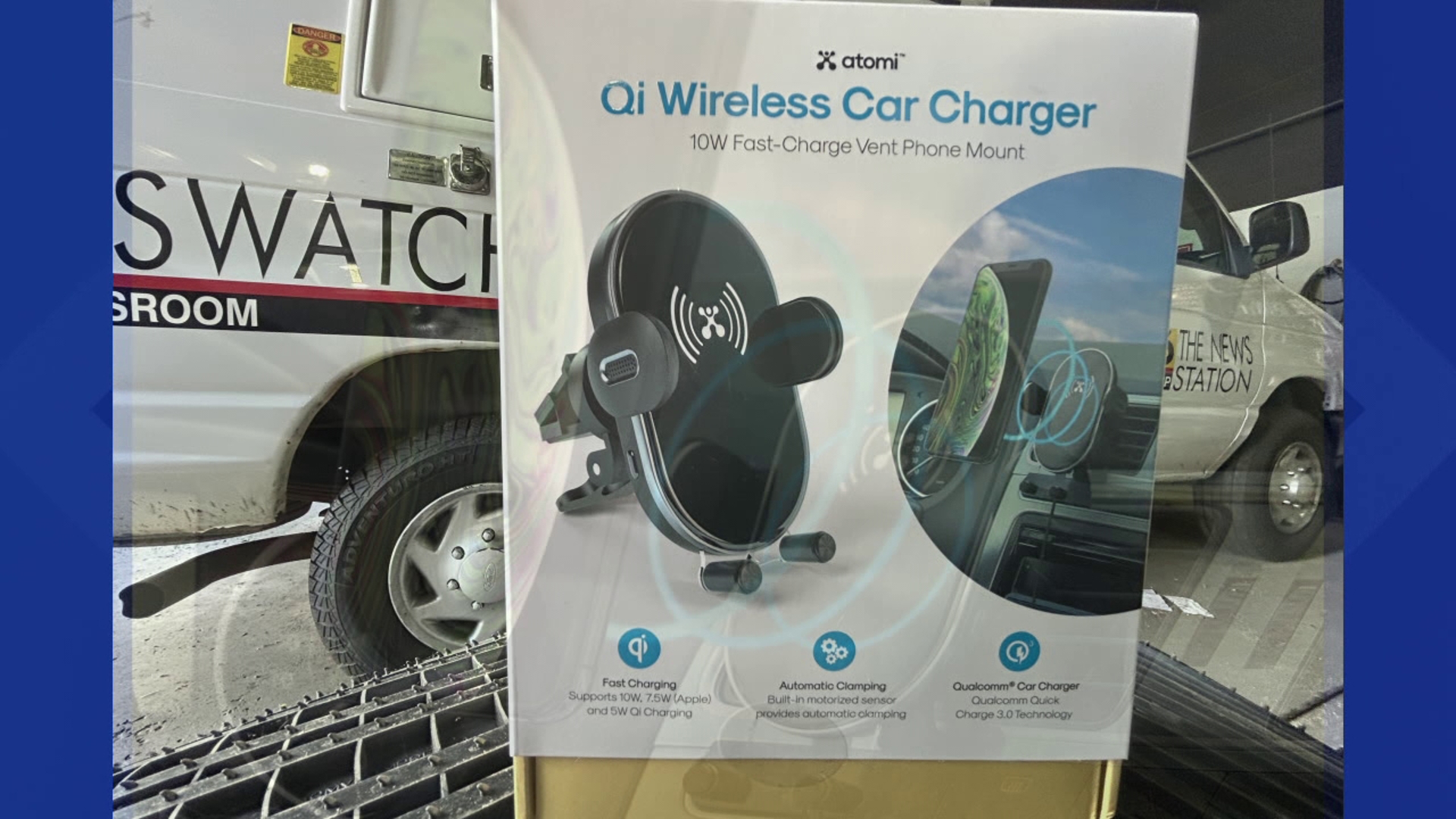
Wireless car charger limitations
Wireless charging is not perfect. It has clear limits that are easy to overlook when shopping.
It may charge more slowly
Wireless charging often loses more energy as heat than wired charging. If you need a fast refill, a cable may perform better.
It can produce more heat
The phone may become warm during navigation and wireless charging at the same time. Heat can lead to slower charging.
It needs correct placement
A phone that shifts on a rough road may stop charging. A flat pad may work well in a smooth vehicle but perform poorly on a bumpy commute.
It may not fit every phone case
Thick cases, metal plates, wallets, and kickstands can block the charging field. Some magnetic cases also require a matching magnetic charger.
It can cost more
A strong mount with cooling, fast charging, and stable support may cost more than a basic cable and adapter.
Knowing these limits makes it easier to decide whether wireless charging fits your driving habits. It is a useful tool, not a universal replacement for wired charging.
How to choose the right wireless car charger
Start with your phone. Confirm its wireless charging standard and maximum supported power. Then check whether the charger supports that rate.
Look for these features:
• Qi or Qi2 compatibility
• Strong and adjustable phone support
• Adequate USB C input
• Temperature and overcurrent protection
• Clear installation instructions
• A secure vent, dash, or cup holder mount
• Easy access to the phone screen
• A cable that reaches the power source safely
• A design that does not block airbags or controls
Mount location is just as important as charger output. A vent mount may cool the phone but reduce airflow from the climate system. A windshield mount may offer a clear view but could interfere with visibility or local laws.
In my experience, the best mount is the one that holds the phone firmly and keeps the coil aligned. A slightly slower charger that works every trip is better than a high-powered model that disconnects over every pothole.
How to install and use a wireless car charger safely
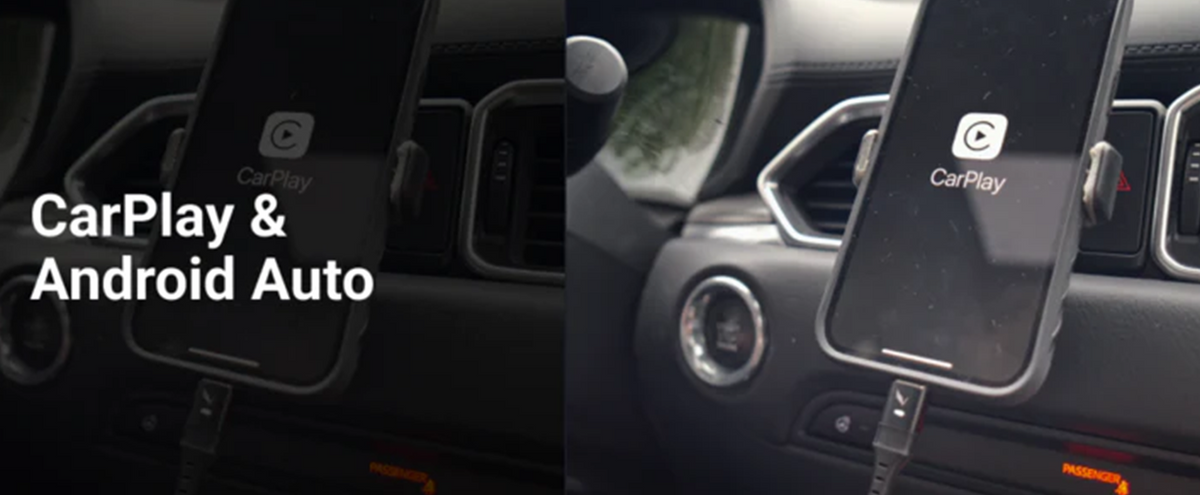
Installation usually takes only a few minutes, but placement deserves care.
- Choose a stable location within easy reach when parked.
- Keep the charger outside the airbag deployment path.
- Connect it to a suitable USB port or 12-volt adapter.
- Route the cable away from pedals, steering parts, and controls.
- Place the phone on the charger.
- Confirm the charging symbol appears.
- Test the mount while the vehicle is stationary.
- Check that the phone remains secure during normal driving.
Do not place the charger where it blocks the windshield, instrument panel, or backup camera view. Do not run a cable across the steering wheel or footwell.
Never add loose metal plates between the phone and charging coil unless the manufacturer specifically allows them. Metal can interfere with charging and create unwanted heat.
If the charger has an automatic grip, keep your fingers clear of the moving arms. Some models use a motor, so forcing the arms can damage the mechanism.
Troubleshooting wireless charging problems
When a wireless car charger fails, start with the simple checks.
The phone does not charge
Confirm that the charger receives power. Try another USB cable, adapter, or power port. Then remove the phone case and place the phone at the center of the pad.
Charging starts and stops
This usually points to movement, poor alignment, heat, or weak input power. Secure the mount and check whether the phone becomes hot.
Charging is very slow
Navigation, streaming, high brightness, and a low-power vehicle port can reduce charging speed. Use a stronger approved adapter if the charger supports it.
The mount does not hold the phone
Clean the mount surface and check the grip mechanism. A heavy phone case may exceed the mount’s holding strength.
The phone becomes too warm
Move the charger away from sunlight, improve airflow, and remove thick accessories. If the phone shows a temperature warning, stop charging until it cools.
The charger works with one phone but not another
The phones may support different standards or coil positions. Check compatibility instead of assuming every wireless phone will work in the same way.
These steps solve most everyday problems without replacing the charger. If the unit smells burnt, shows damage, or becomes unusually hot, disconnect it and stop using it.

Wired charging versus wireless charging in a car
Wired charging sends electricity through direct contact between the cable and phone port. Wireless charging sends energy through magnetic induction. Both methods can safely charge a phone when the equipment meets the correct standards.
Wired charging usually offers:
• Higher efficiency
• Faster charging in many cases
• Less heat
• A lower purchase cost
• Reliable charging over rough roads
Wireless charging usually offers:
• Easier placement
• Fewer loose cables
• Better support for dashboard mounts
• Less use of the phone’s charging port
• A cleaner interior
Choose wireless charging if convenience and easy mounting matter most. Choose wired charging if speed, lower heat, or maximum efficiency matters more.
Many drivers use both. A wireless charger handles daily trips, while a cable remains available for long drives or urgent charging.
Common mistakes to avoid
A few small mistakes can make a good charger seem defective.
• Buying a charger without checking phone compatibility
• Using a weak power adapter
• Leaving a thick wallet case on the phone
• Placing a metal plate over the charging coil
• Mounting the device in front of an airbag
• Ignoring excessive heat
• Expecting advertised power in every condition
• Leaving the charger connected for weeks while parked
• Placing the phone off-center
• Adjusting the phone while driving
The biggest lesson is simple: the charger needs both power and alignment. If either one is poor, performance suffers.
When explaining how does a wireless car charger work in a car, I compare it to a small power tunnel. The entrance is the charger coil, the exit is the phone coil, and poor alignment makes the tunnel harder to cross.
Frequently Asked Questions: How does a wireless car charger work in a car?
Does a wireless car charger work with every phone?
No. The phone must support a compatible wireless charging standard, such as Qi. A phone without a wireless charging receiver needs a compatible adapter or a charging cable.
Does a wireless car charger work when the car is turned off?
It depends on the vehicle’s power system. Some USB ports and accessory outlets shut off with the ignition, while others remain active, so check your vehicle manual and test the outlet.
Is wireless charging safe for a phone battery?
Yes, when the charger and phone meet recognized safety standards. The phone controls charging and can reduce power when it becomes full or too hot, but avoiding extreme heat still helps battery health.
Why does my wireless car charger charge slowly?
Slow charging can result from weak input power, poor alignment, a thick case, high phone use, or heat. Navigation and a bright screen can use power almost as quickly as the charger supplies it.
Can I use a phone case with a wireless car charger?
Most thin, nonmetal cases work. Thick cases, wallet cases, metal plates, and large accessories may block or weaken the charging signal.
Does a wireless car charger use more fuel?
Its power use is very small and normally has no noticeable effect on fuel consumption. However, leaving accessories active while the engine is off can place a small load on the vehicle battery.
Can a wireless charger damage credit cards or key fobs?
The charging field may affect some magnetic strips and sensitive objects. Keep cards, coins, and metal items away from the charging surface unless the charger maker confirms they are safe.
Is a magnetic wireless charger better?
A magnetic charger can keep the phone aligned more easily, especially when the phone or case supports the correct magnetic system. The magnet does not automatically make charging faster or compatible.
Conclusion
A wireless car charger uses electromagnetic induction to move energy from a charging coil to a matching coil inside your phone. The car supplies the power, while the charger manages alignment, communication, heat, and output. Good results depend on a compatible phone, a strong power source, clear coil alignment, and a safe mount location.
Use the charger as a convenient way to maintain your battery during daily drives. Check its standard, power needs, heat control, and mounting design before buying. If this guide helped, explore more vehicle technology resources or share your wireless charging experience in the comments.



One Comment