
How To Install A Wireless Car Charger In Car: Easy Setup
Mount the charger, connect it to a safe 12-volt power source, and test alignment before driving.
Learning how to install a wireless car charger in car is easier than it sounds when you choose the right mount, power source, and cable route. This guide explains the process from start to finish, including dashboard safety, fuse taps, USB-C power, phone alignment, heat control, and common mistakes that can damage your vehicle or charger.
What You Need Before Installing a Wireless Car Charger
Before you install a wireless car charger in car, check your vehicle, phone, and charger specifications. Most wireless car chargers use Qi charging, the global standard used by many iPhones and Android phones. Some newer devices support faster Qi2 charging, but the charger, phone, and power adapter must all support the same charging level.
A basic installation usually needs:
• A Qi or Qi2 wireless car charger
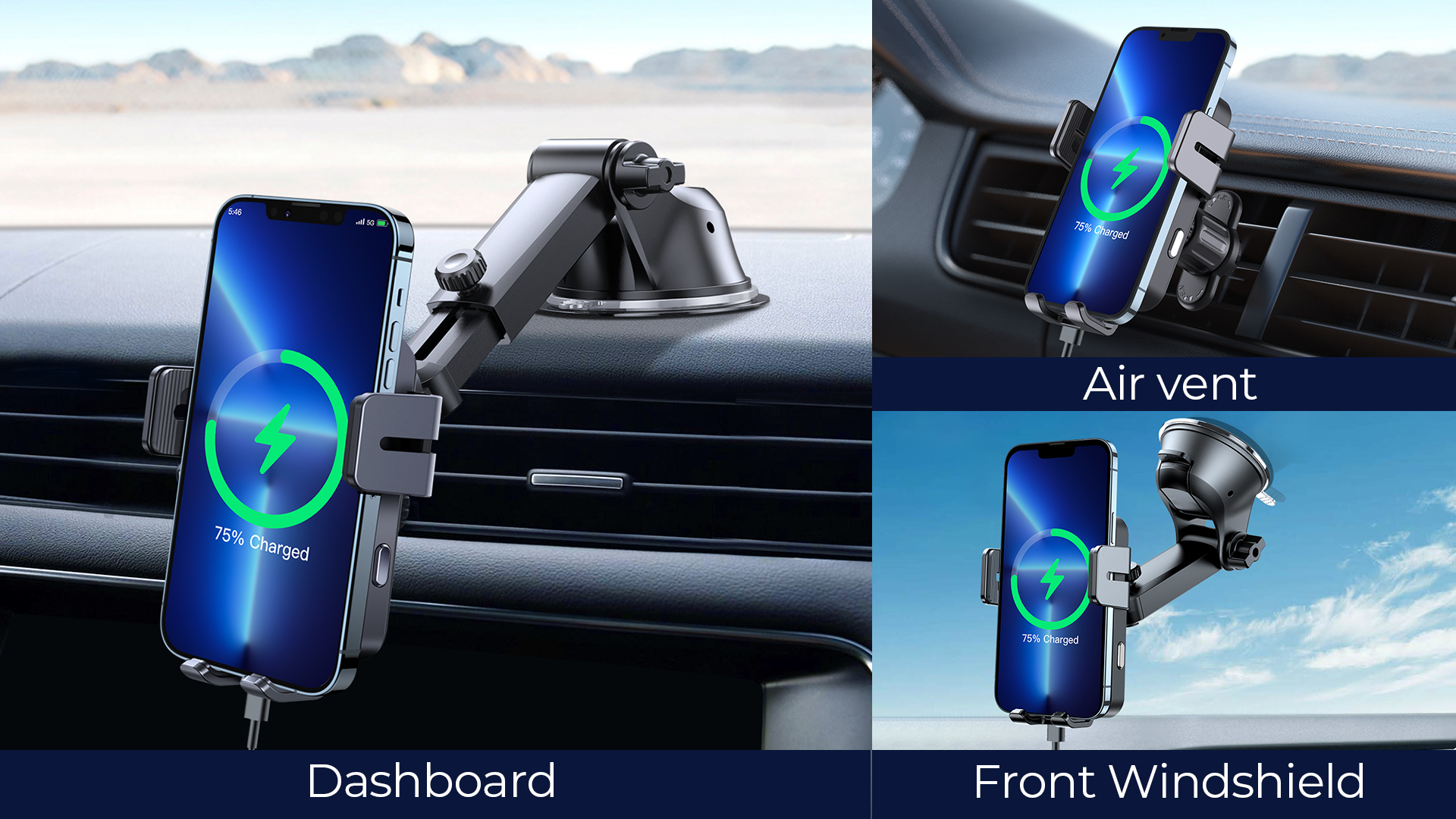
• A dashboard, windshield, vent, or cup-holder mount
• A 12-volt car adapter or USB power adapter
• A USB cable, often USB-C
• A clean cloth and mild cleaner
• Cable clips or adhesive cable guides
• A trim tool for hiding wires
• A fuse tap and multimeter if you plan to hardwire the charger
Check the charger’s manual before connecting power. Some models need standard 5-watt power, while others need 10, 15, or more watts. A weak adapter may cause slow charging, repeated charging stops, or excess heat.
A wireless charger does not remove every wire from the installation. The charging pad still needs a power cable. The word “wireless” describes the connection between the pad and your phone, not the power connection inside your car.
Choose the Best Location for the Charger
The best location is easy to reach, easy to see, and clear of safety equipment. You should be able to place or remove your phone without taking your eyes off the road for long.
Good mounting locations include:
• A center dashboard area that does not block the screen
• A sturdy air vent with a strong vent clip
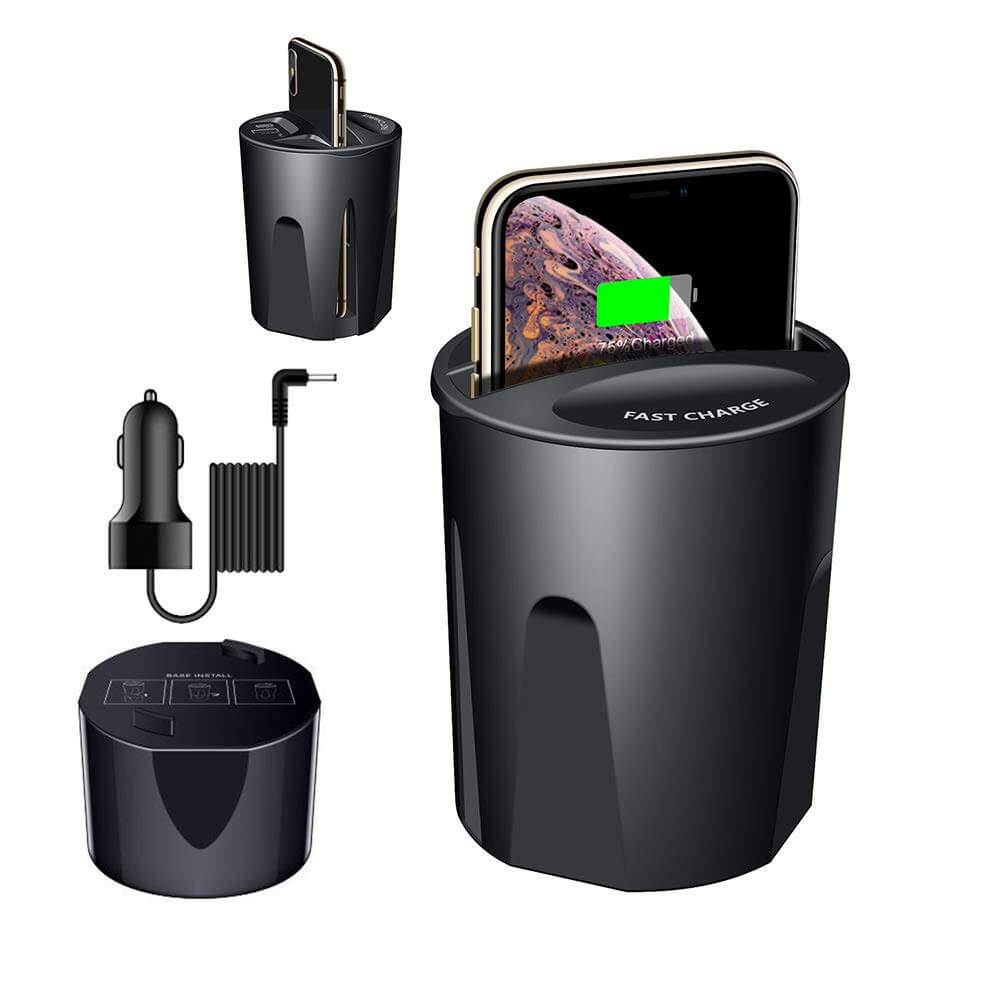
• A cup-holder mount for larger vehicles
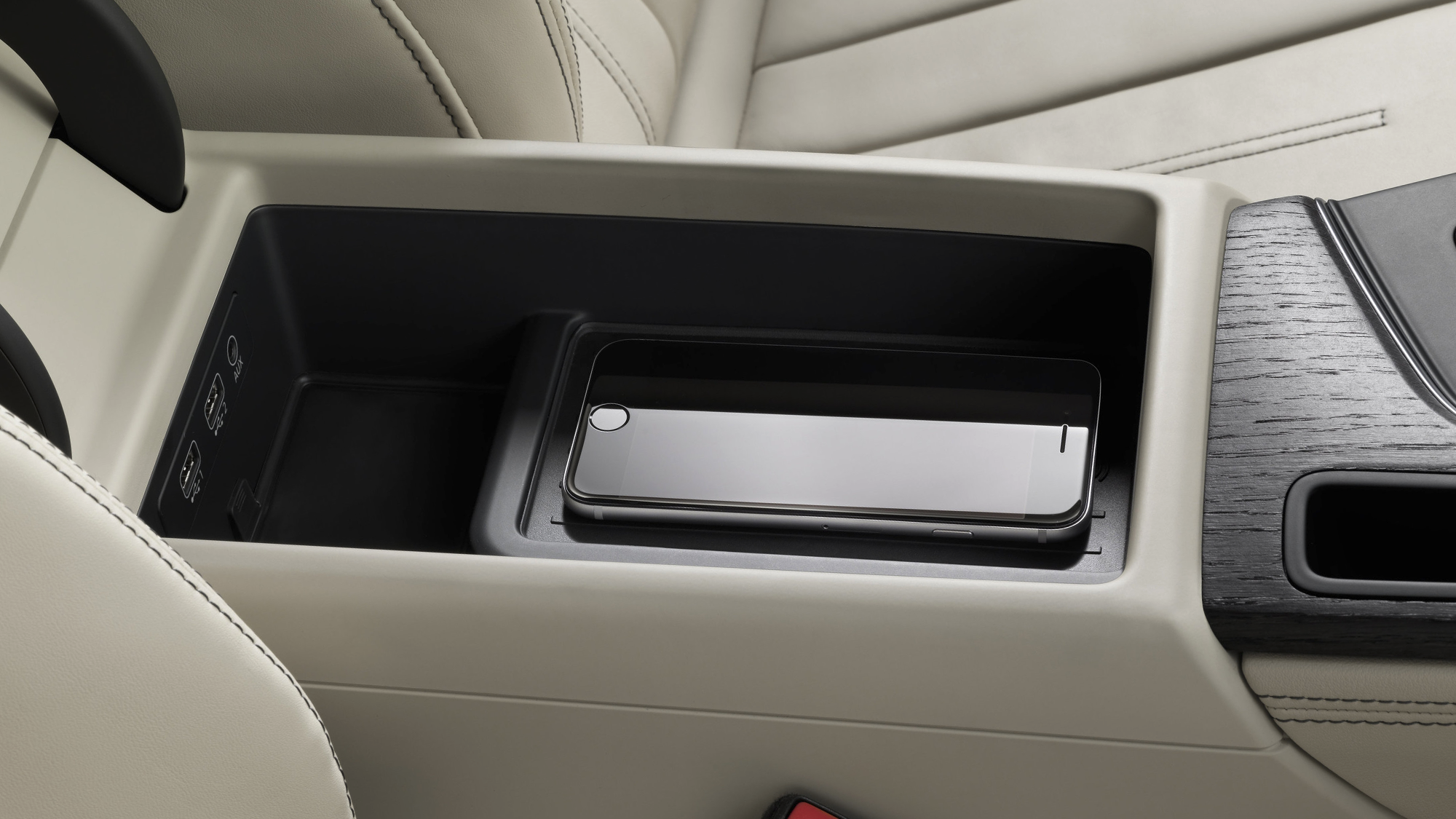
• A factory phone shelf or storage tray
• A windshield area outside the driver’s main viewing path
Avoid placing the charger:
• In front of an airbag panel
• Over the instrument cluster
• On top of a dashboard sensor
• Near a gear selector or emergency control
• Where it blocks the backup camera display
• Where the phone can fall under the brake pedal
Airbag placement is especially important. A charger or phone mount attached to an airbag cover can become a dangerous projectile if the airbag deploys. Review your owner’s manual if you are not sure where the airbags are located.
When learning how to install a wireless car charger in car, think of the mount as part of the vehicle’s control area. It should support safe driving, not compete with the road.
Select a Wireless Car Charger That Fits Your Phone
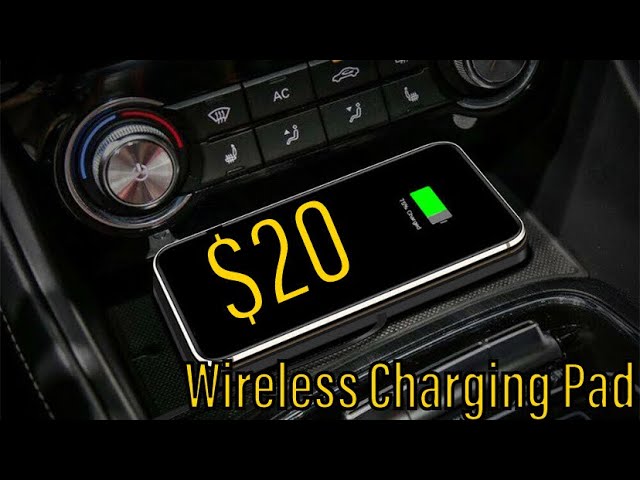
Not every wireless car charger works well with every phone. A good model should support your phone’s charging standard, hold the device firmly, and manage heat during long drives.
Look for these features:
Qi or Qi2 compatibility
qi is widely supported by modern smartphones. Qi2 adds magnetic alignment and can improve placement on compatible phones. An iPhone with MagSafe may attach well to a magnetic Qi2 charger, while many Android phones may need a compatible magnetic case.
Adjustable phone arms
A clamp-style holder works with many phone sizes and cases. Spring-loaded arms are useful if your phone does not use magnetic charging.
Strong alignment
Wireless charging works best when the phone’s charging coil sits directly over the charger’s coil. A few inches of misalignment can reduce charging speed or stop charging completely.
Heat control
Wireless charging creates heat, especially in direct sunlight or when the phone is running navigation. A charger with ventilation, temperature control, or automatic power reduction is a better choice for summer driving.
A suitable power input
A fast wireless charger may need a USB-C Power Delivery adapter. A basic USB-A port may not provide enough power. Always check the charger’s input requirements before buying a separate adapter.
Thick cases, metal plates, magnetic rings, and card holders can interfere with charging. Remove them during testing. If the charger works without the case but fails with it, use a thinner case designed for wireless charging.

Prepare the Car Before Installation
Park on a level surface and turn off the ignition before beginning. Set the parking brake and remove the key or switch off the vehicle’s start system.
Clean the mounting area with a mild cleaner and a soft cloth. Dust, oil, and dashboard protectant can weaken an adhesive mount. Allow the surface to dry fully before attaching anything.
Lay out the charger, cable, and power adapter before fixing the mount in place. This simple step shows whether the cable is long enough and whether it can reach the power port without crossing the steering wheel or gear selector.
You should also test the charger before permanent installation:
-
Plug the charger into the 12-volt outlet.
-
Place your phone on the charging surface.
-
Confirm the charging symbol appears.
-
Test the charger with the phone case attached.
-
Check that the phone stays secure when you gently move the mount.
This early test can save time. A faulty cable or adapter is much easier to replace on a table than after you hide the wiring.
Install a Plug-In Wireless Car Charger
A plug-in installation is the simplest way to learn how to install a wireless car charger in car. It uses the vehicle’s 12-volt outlet, also called the accessory socket or cigarette lighter socket.
Follow these steps:
-
Attach the charger to the chosen mount.
-
Place the mount in the selected location.
-
Adjust the viewing angle.
-
Connect the USB cable to the charger.
-
Route the cable toward the 12-volt outlet.
-
Plug the power adapter into the outlet.
-
Start the car if the outlet is ignition controlled.
-
Place your phone on the charger.
-
Confirm that charging begins.
-
Secure the loose cable with clips.
Do not stretch the cable tightly. Leave a small amount of slack near the charger so the mount can move without pulling on the connector.
Keep the cable away from the steering column, pedals, shifter, parking brake, and door hinges. A loose cable near the pedals can create a serious driving hazard.
A plug-in setup is easy to remove and does not usually require changes to the vehicle’s wiring. It is a good option for leased vehicles, rental cars, older cars, and drivers who want a quick installation.

Hardwire the Wireless Charger to the Fuse Box
A hardwired installation creates a cleaner look because the power cable runs behind the dashboard. It can also allow the charger to turn on with the ignition. However, this method requires more care than using the 12-volt outlet.
You will usually need:
• A fuse tap that matches your vehicle’s fuse type
• The correct fuse for the charger circuit
• An inline fuse if required by the charger design
• A multimeter or test light
• A trim removal tool
• Electrical tape or fabric wire tape
• A grounding point
Before touching the fuse box, read the vehicle owner’s manual. Fuse layouts differ by make, model, and year. Never assume that a fuse location has the same purpose in every vehicle.
Find an ignition-switched fuse
Use a multimeter to find a fuse that receives power only when the ignition is on. Avoid safety-critical circuits such as airbags, brakes, steering, engine control, and anti-lock braking systems.
A suitable circuit may be an accessory outlet or another accessory function, but the exact fuse depends on the vehicle. Test the circuit with the ignition off and on. The result should match the fuse-tap instructions and the vehicle manual.
Install the fuse tap correctly
Remove the chosen fuse and place it in the correct slot on the fuse tap. Add the charger’s fuse in the other slot if the tap design requires one.
The fuse tap must face the correct direction. If installed backward, the added fuse may not protect the charger as intended. Use a wiring diagram or verify the power side with a multimeter.
Connect the ground
Attach the ground wire to clean, unpainted metal near the fuse box. A factory bolt connected to the vehicle’s metal body often works well, but confirm that the bolt is a reliable grounding point.
Do not attach the ground to plastic, painted trim, or a loose bracket. A poor ground can cause charging interruptions and electrical noise.
Hide and secure the wire
Run the cable behind trim panels without pinching it. Avoid areas near sharp metal, moving parts, heater ducts, and airbag wiring. Secure the wire so it cannot rattle or fall into the footwell.
If you are not comfortable identifying fuses or removing trim, use a qualified automotive technician. A clean installation is not worth risking an airbag system or vehicle control circuit.

Connect the Charger to the Correct Power Adapter
Power delivery is one of the most common reasons a wireless car charger performs poorly. The charger may be mounted correctly but still charge slowly if the adapter cannot supply enough power.
Check these specifications:
• Charger input voltage
• Required wattage
• USB-A or USB-C connection
• USB Power Delivery support
• Quick Charge support, if listed
• Maximum charging output for your phone
For example, a charger rated for 15 watts may need a compatible USB-C Power Delivery adapter. Connecting it to an old USB-A adapter may reduce it to basic charging speed.
Do not judge charging speed only by the number shown on the charger box. The phone may reduce power when its battery is nearly full, when it becomes warm, or when navigation and mobile data create heavy demand.
A reliable power setup should:
-
Match the charger’s input requirements.
-
Use a high-quality cable.
-
Fit firmly in the outlet or USB port.
-
Avoid excessive heat.
-
Stop power when the vehicle is turned off, if possible.
If the charger stays active after the car is parked, it may slowly drain the battery. This is more likely when using a constant-power fuse or a 12-volt outlet that remains live after the ignition is off.
Route and Secure the Charging Cable
Cable routing affects both appearance and safety. A neat route also prevents the cable from pulling on the charger or becoming a source of dashboard noise.
Run the cable along existing edges or seams. Use small clips that match the interior color. Avoid covering the cable with loose tape that may fall off in heat.
Helpful routing habits include:
• Leave gentle curves instead of sharp bends.
• Keep the cable away from hot heater outlets.
• Avoid routing near pedals.
• Do not cross the steering wheel area.
• Keep connectors free from water and spilled drinks.
• Use a short cable when possible.
A trim tool helps lift plastic panels without scratching them. Never force a panel. If it does not release easily, check for hidden screws or clips.
One practical lesson from real-world installations is that the last few inches matter most. Many people hide the long section well but leave a loose loop near the charger. That loop can catch a hand, vibrate against the dash, or pull the connector loose. Secure the cable close to the charger and near the power source.

Test the Wireless Charger After Installation
Testing should cover more than simply seeing a charging icon. A charger can begin charging and still lose power when the phone moves, the car vibrates, or the device becomes warm.
Use this test process:
-
Place the phone in the charger’s center.
-
Confirm that charging begins.
-
Move the mount through its normal range.
-
Drive over a smooth and rough road if possible.
-
Test with the phone case installed.
-
Run navigation for at least 15 minutes.
-
Check the phone and charger for excessive heat.
-
Turn the ignition off and confirm the charger behaves as expected.
-
Restart the car and test charging again.
The phone should remain secure during normal driving. The charging connection should not repeatedly start and stop. Some phones display a warning if a metal object is between the phone and the charging pad. Remove coins, keys, magnetic plates, and cards from the charging area.
If you use a magnetic charger, check that the magnetic ring aligns with the phone’s internal coil. A magnet can hold a phone firmly but still fail to charge if the coils do not line up.

Fix Common Wireless Car Charger Problems
Even a well-installed wireless charger may have occasional problems. Most issues come from alignment, power, heat, or an incompatible case.
The phone does not charge
Check the cable, adapter, and power outlet first. Then remove the phone case and place the phone at the center of the pad.
If the charger has an indicator light, check whether it shows standby, active charging, or an error. Try another cable and compatible power adapter before replacing the charger.
Charging starts and stops
This often means poor alignment, a weak power source, or excess heat. Navigation, video, screen brightness, and mobile data can increase heat and power demand.
Move the phone slightly, remove the case, and improve airflow around the charger. If the problem continues, use a stronger adapter that matches the charger’s specifications.
The charger becomes very hot
Some warmth is normal during wireless charging. Excessive heat is not. Stop using the charger if it becomes too hot to touch, smells unusual, changes shape, or causes the phone to display a temperature warning.
Keep the charger out of direct sun. Do not cover ventilation openings. High temperatures can slow charging and may shorten the life of the phone battery or charger.
The phone falls from the mount
Check the mount’s locking system and the surface where it is attached. Adhesive mounts need a clean, dry surface and enough time to bond before carrying the phone.
For heavy phones or rough roads, a vent mount may not be strong enough. A dashboard bracket or cup-holder mount may provide better support.
The charger drains the car battery
The charger may be connected to a constant-power outlet or fuse. Use an ignition-switched circuit or unplug the charger when parking for long periods.
If the vehicle has a battery management system, avoid changing factory wiring without understanding its design. Professional installation is safer for modern vehicles with complex electronics.
Improve Charging Performance and Phone Safety
Knowing how to install a wireless car charger in car is only part of the process. Good daily use also protects the phone and keeps charging reliable.
Follow these habits:
• Center the phone on the charging pad.
• Remove thick or metal cases.
• Keep the charging surface clean.
• Do not place cards between the phone and pad.
• Avoid charging in direct summer sun.
• Keep the phone secured before driving.
• Use a charger with temperature protection.
• Replace damaged cables promptly.
Wireless charging is less efficient than a direct wired connection because energy transfers across a small air gap. That lost energy becomes heat. This is why a phone may charge more slowly in a car than it does with a wired wall charger.
Some phones also limit charging speed when the battery reaches a high level. This is normal battery management, not always a charger fault. For long drives, a wired connection may be better when you need the fastest possible charging.
A good wireless car charger should support convenience first. It is ideal for keeping a phone topped up during navigation and short trips. It may not be the best choice for rapidly charging a nearly empty battery.
Mistakes to Avoid When Installing a Wireless Car Charger
Small installation mistakes can cause poor charging or create safety problems. Avoid these common errors:
• Mounting the charger over an airbag panel
• Blocking the driver’s view
• Using a weak or damaged adapter
• Running wires near pedals
• Hiding wires before testing the charger
• Using the wrong fuse-tap direction
• Connecting to a safety-critical fuse
• Leaving the charger powered all night
• Using a thick case with a metal plate
• Placing the charger in direct sunlight
• Ignoring loose movement in the mount
• Forcing dashboard trim panels
The most important rule is to test before making the installation permanent. Temporary testing reveals problems with position, cable length, power delivery, and phone compatibility.
Also check your vehicle warranty and lease terms before hardwiring accessories. A plug-in setup is usually easier to reverse, while a hardwired setup may require professional documentation or removal before returning a leased vehicle.
Frequently Asked Questions About How to Install a Wireless Car Charger in Car
Can I install a wireless car charger in any car?
Most cars with a 12-volt outlet or USB power source can use a wireless car charger. The main limits are mounting space, power output, dashboard safety, and the phone’s wireless charging support.
Is it better to plug in or hardwire a wireless car charger?
Plug-in installation is faster, easier to remove, and suitable for most drivers. Hardwiring creates a cleaner appearance but requires correct fuse selection, grounding, and safe cable routing.
Can a wireless car charger drain my car battery?
Yes, it can drain the battery if it remains connected to a constant-power outlet while the vehicle is parked for long periods. Use an ignition-switched power source or unplug the charger when you leave the car.
Why does my wireless car charger charge slowly?
Slow charging may result from poor phone alignment, a thick case, high phone temperature, or an adapter that cannot provide enough power. Check the charger’s wattage requirements and use a compatible USB-C power adapter when needed.
Can I use a wireless charger with a phone case?
Most thin plastic or silicone cases work well. Thick cases, metal plates, magnetic accessories, and wallet cases can block or weaken the charging signal.
Where should I avoid mounting a wireless car charger?
Avoid airbag covers, the driver’s main sight line, the steering column, instrument displays, pedals, and locations that interfere with vehicle controls. The mount should stay secure without reducing visibility or access.
Does wireless charging work while using GPS?
Yes, but navigation can make the phone warmer and increase power use. If charging stops, improve airflow, remove the case, reduce direct sunlight, or use a stronger compatible power adapter.
Conclusion
Installing a wireless car charger in car involves four key tasks: choosing a safe location, using the right power source, routing the cable carefully, and testing the phone under real driving conditions. A plug-in setup works well for most people, while hardwiring offers a cleaner look for those comfortable with vehicle electronics.
Keep the charger away from airbags, pedals, heat, and direct sunlight. Confirm that the phone and case support wireless charging, then secure every cable before driving.
Take time to test the setup before making it permanent. With the right charger and a careful installation, you can keep your phone powered and easy to use without creating a distraction. Share your installation experience or explore more vehicle-accessory guides for practical upgrades.